

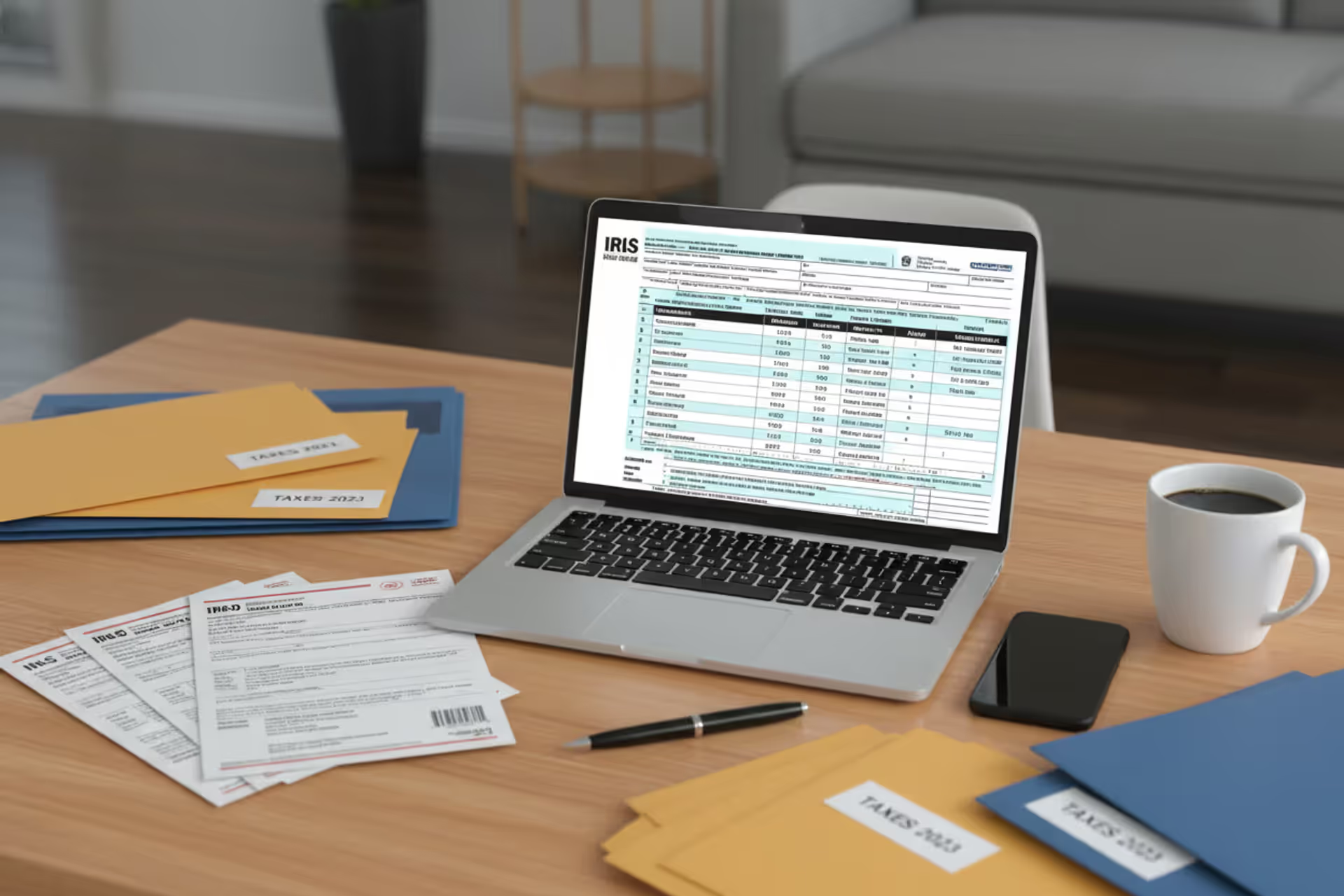
Person using tax software on a laptop with tax documents on a desk
What Is Tax Software and How Does It Work

Tax season used to mean boxes of receipts, calculator tape stretched across the dining room table, and maybe a nervous trip to an accountant's office. Not anymore. Last year, over 90 million Americans filed their returns using digital platforms—never setting foot in a tax office, never hiring a CPA.
What changed? Tax software turned a weeks-long ordeal into something you can finish during a weekend Netflix binge. These platforms walk you through every question, crunch the numbers instantly, and zap your return straight to the IRS servers. Done.
But here's the catch: not all tax software works the same way, and the cheapest option isn't always the smartest choice. Your cousin with a simple W-2 needs something completely different than you do if you're freelancing, renting out a property, or trying to figure out what to do with those stock options your employer granted last year. Let's break down how these platforms actually work and whether they're right for your situation.
Tax Software Meaning and Core Functions
What is tax software, exactly? Think of it as a translator sitting between you and the IRS. You speak plain English ("Yeah, I paid some student loan interest"), and the software translates that into IRS-speak (Form 1098-E, box 1, deductible interest calculation based on income phase-out schedules).
These platforms exist to solve three headaches that make people dread tax season. First, they turn confusing tax jargon into simple questions anyone can answer. Second, they eliminate math errors—the software handles every calculation, including the weird ones like alternative minimum tax or qualified business income deductions. Third, they submit everything electronically so you're not addressing envelopes or waiting six weeks for the IRS to process paper forms.
Here's how the old way worked: You'd figure out which forms you needed (good luck with that), fill in every blank by hand, double-check your math with a calculator, mail everything with your fingers crossed, then wait. And wait. Maybe your refund showed up in two months.
The software approach flips this completely. Answer questions in whatever order makes sense. The platform figures out which forms to generate behind the scenes. Calculations happen automatically as you type. Submit with a button click. Most refunds hit your bank account in under three weeks.

Author: Derek Langston;
Source: atiservicesoftampa.com
Modern platforms also connect with your employer's payroll system, your bank, your brokerage—pulling in W-2s, 1099s, and investment records without you typing a single number. Last year, my software grabbed my W-2 before my employer even sent the paper copy. Every January, tax laws change (sometimes drastically), but the software updates itself overnight to match whatever Congress decided three months ago.
How Tax Software Works Step by Step
Let me walk you through what actually happens when you sit down to file using one of these platforms.
Getting Your Documents Into the System: You'll create an account first—name, Social Security number, the basics. Then comes the magic part. The software asks permission to contact your employer, bank, or investment company directly. If they participate (most big companies do), your tax documents appear in the software automatically. I watched my sister's platform pull in her W-2, two 1099-INTs, and a 1099-DIV in about 30 seconds. She didn't type anything.
For documents the software can't grab automatically, you've got options. Some platforms let you snap a photo with your phone—the software reads the numbers right off the image. Or you can type everything manually the old-fashioned way.
The Question Marathon: Here's where tax software really earns its keep. Instead of handing you a blank Form 1040, it asks conversational questions. "Did your employer offer health insurance?" "Anyone in your household pay for college last year?" "Own a home?"
The smart part: your answers determine what questions come next. Say yes to home ownership, and suddenly you're answering questions about mortgage interest and property taxes. Say no, and you skip 15 questions you don't need. The software builds your return in the background while you're just having a conversation.
Math Happens Invisibly: Remember doing tax math by hand? The software handles all of it instantly. Tax bracket calculations, phase-outs for various deductions, interactions between federal and state rules—all happening automatically. You see a running total at the top of your screen: "Current refund: $2,847" that updates every time you answer another question.
Some calculations get genuinely complex. The qualified business income deduction involves worksheets with 23 lines of calculations. The software does it while you're answering a few simple questions about your freelance work.
Checking for Problems: Before you submit anything, the platform runs diagnostics. It's looking for the mistakes that cause the IRS to reject returns: mismatched Social Security numbers, income that doesn't match what your employer reported, missing required forms. The software I used last year flagged that I'd forgotten to enter my health insurance information—which would have delayed my refund by weeks.
Paid versions often go further, having actual tax professionals review your return for mistakes or missed opportunities. They might spot that you qualified for a credit you didn't claim.
Sending Everything to the IRS: Once you're satisfied, you authorize electronic filing. The software transmits everything through the IRS e-file system—a secure pipeline that tax professionals use too. Within a few hours (sometimes minutes), you get confirmation that the IRS accepted your return. If something's wrong, you find out immediately instead of weeks later.
Watching Your Money Arrive: After the IRS accepts your return, most software provides direct links to track your refund status. You'll get notifications when the IRS processes your return, approves your refund, and sends the money. You can choose direct deposit (fastest), paper check (slowest), or even split your refund across multiple bank accounts.
Types of Tax Software for Different Filers
Tax software companies build different products because a single employee's return looks nothing like a small business owner's return. Using the wrong tier means either overpaying for features you don't need or getting stuck halfway through when the software can't handle your situation.
Software for Individual Taxpayers
The basic versions target people with straightforward situations: you received a W-2 from your employer, maybe earned some interest at the bank, and you're taking the standard deduction. No business income, no rental properties, nothing fancy.
Free versions genuinely work well if your finances are simple. Last year, my nephew used a free platform for his first return ever—single, one W-2 from his retail job, no dependents. Total cost: zero dollars. The software handled everything perfectly.
Once your situation gets slightly more complicated, you'll hit the paywall. Trying to deduct mortgage interest? That'll be $49. Reporting income from a side gig? Upgrade to the self-employed version for $89. The platforms design it this way intentionally—free gets you in the door, then they upsell based on what you need.
Paid individual versions add support for itemizing deductions, which matters if you paid significant mortgage interest, made large charitable donations, or had high medical expenses. These versions also include "deduction finders"—tools that ask probing questions to uncover tax breaks you might not know about. Did you pay HOA fees? Could be deductible if you rent out your place occasionally. Donated old clothes to Goodwill? That's a charitable deduction.
Self-Employed and Small Business Solutions
Everything changes when you work for yourself. You need software that handles Schedule C (where you report business profit and loss), calculates self-employment tax (the extra 15.3% that employed people don't pay directly), and figures out quarterly estimated taxes so you're not hit with penalties.
These versions cost more—usually $80 to $120—but they include features you'll actually use. Many integrate with accounting software like QuickBooks, pulling in your business income and expenses automatically. Some include mobile apps that track mileage all year. You drive to a client meeting, the app logs the miles, and at tax time those miles convert to a deduction.

Author: Derek Langston;
Source: atiservicesoftampa.com
The tricky part with business income: separating personal and business expenses. The software guides you through this, but you need good records. That coffee shop trip where you met a client? Business expense. The coffee you grabbed on Saturday morning? Personal. The software can categorize expenses once you enter them, but garbage in means garbage out.
Business versions also help with home office deductions—one of the most audit-triggering deductions if you get it wrong. The software asks about your home office setup and calculates whether the simplified method or the regular method saves you more money.
Professional Tax Preparation Software
CPAs and enrolled agents use completely different platforms than consumers. These programs handle unlimited returns, support every obscure tax form imaginable, and include practice management tools for communicating with clients.
Professional software lets preparers override calculations when special circumstances require it, drill into every line of every form, and prepare complex business entity returns (partnerships, S-corporations). These platforms cost thousands annually—often $3,000 to $5,000—but include the Electronic Filing Identification Numbers that let professionals submit returns on behalf of clients.
You probably don't need professional software unless you're actually preparing taxes for other people. But knowing what professionals use helps you understand the capabilities—and limitations—of consumer software.
Popular Tax Software Examples and What They Offer
The tax software market concentrates around a handful of major players, each with different strengths, weaknesses, and pricing strategies.
TurboTax dominates market share for good reason: it's polished, intuitive, and explains tax concepts better than competitors. The interface anticipates what you need help understanding and provides explanations without making you feel stupid. TurboTax offers free filing for genuinely simple situations, then charges $69 to $129 for more complex scenarios. Their TurboTax Live feature adds video access to CPAs who can review your work or prepare the return entirely—essentially combining software convenience with professional expertise. The mobile app works particularly well for people who prefer filing on their phone.
H&R Block brings a unique advantage: over 10,000 physical office locations. You can start your return online, get stuck on something complex, and schedule an in-person appointment to finish. For people who like having that safety net, H&R Block's hybrid approach works great. The software itself provides unlimited chat access to tax professionals in most paid tiers—a feature that competitors charge extra for. Prices run slightly lower than TurboTax, usually $55 to $115.
TaxAct wins on value. You'll get robust features for less money—usually $35 to $95 depending on complexity. The tradeoff: a less polished interface that assumes you understand more about taxes. If you've filed a few times before and don't need your hand held through every question, TaxAct delivers solid performance at budget prices. The software handles complex situations just fine; it just doesn't explain them as thoroughly.
FreeTaxUSA takes an unusual approach: completely free federal filing for everyone, regardless of income or complexity. They make money by charging $15 for state returns. If you have a complicated federal return but a simple state situation, this represents massive savings. A self-employed filer with rental properties might pay $120 on TurboTax but only $15 on FreeTaxUSA. The interface is basic, support is limited, but the math all works correctly.
Cash App Taxes (formerly Credit Karma Tax) goes even further: free federal and state filing for every situation, period. No catches, no upsells. They monetize through their broader financial services business—checking accounts, credit cards, investment products—rather than charging for tax prep. The downside: minimal support options and a stripped-down interface. This works great for confident filers who don't need much assistance.
TaxSlayer carved out two niches: military members and self-employed filers. They offer free filing for active duty military regardless of return complexity—a genuinely valuable benefit for service members dealing with multi-state issues or combat zone income. For self-employed filers, TaxSlayer provides strong business income support at middle-tier prices, usually around $47 for federal filing.
Comparing Major Tax Platforms
| Platform | Federal Cost | Who Gets Free Filing | Audit Protection | Live Professional Help | Works Best For |
| TurboTax | Starting at $69 | Basic W-2 only | Premium packages | Available for added cost | First-time filers wanting detailed guidance |
| H&R Block | Starting at $55 | Simple W-2 situations | Built into paid packages | Unlimited chat included | People who want office backup available |
| TaxAct | Starting at $35 | Straightforward returns | Extra fee option | Phone support offered | Experienced filers seeking value |
| FreeTaxUSA | $0 federal always | Everyone, any situation | $7 upgrade available | Email only | Complex federal, simple state needs |
| Cash App Taxes | $0 everything | Everyone, all states | Very limited | Basic chat | Budget-focused, self-sufficient filers |
| TaxSlayer | Starting at $29 | Basic returns only | Higher tiers | Phone and online chat | Military families and freelancers |
Key Features to Look for in Tax Software
Shopping for tax software means evaluating features against your specific needs. Here's what actually matters versus what's just marketing.
Document Import Capabilities: The best platforms pull W-2s, 1099s, and investment statements directly from thousands of employers and financial institutions. This eliminates typing errors and saves massive time. Before choosing software, verify that it supports your specific employer and banks. I switched platforms one year because my new employer used a payroll company that my old software didn't integrate with. Check compatibility lists on each platform's website.
Deduction Discovery Tools: Premium versions include algorithms that hunt for deductions you might overlook. These tools ask unexpected questions: "Did you serve jury duty and give the pay to your employer?" (Deductible.) "Buy a vehicle over 6,000 pounds for your business?" (Special depreciation rules.) "Install solar panels?" (Federal tax credit.) For freelancers and business owners, these discovery tools often find enough additional deductions to pay for the software several times over.
Audit Defense and Guarantees: Most paid software includes "audit support," but read the fine print carefully. Basic audit support usually means access to articles or phone support to explain your positions if the IRS questions something. Premium versions might include representation by tax professionals who communicate with the IRS on your behalf. Accuracy guarantees promise to cover penalties and interest if the software makes calculation errors—but they don't cover mistakes you made entering information.
State Return Costs: Federal filing might be free or cheap, but state returns often carry hefty fees—$15 to $50 per state. Some platforms bundle one state free with paid federal versions. This matters enormously if you lived in multiple states during the year or worked remotely for an out-of-state company. A friend of mine moved from California to Texas mid-year and got hit with $90 in state filing fees across both states plus a part-year resident return.
Support Quality and Availability: Free versions typically offer only searchable help articles. Paid versions add live chat, phone support, or even video calls with licensed tax professionals. Consider honestly whether you're comfortable troubleshooting independently. If you get confused easily or want someone to hold your hand through the process, pay for live support. If you're technically confident, save the money and use help articles.
Clear Pricing Structure: Some platforms advertise free filing prominently but push hard toward paid versions once you start entering real information. Others clearly disclose all costs upfront. Watch for aggressive upselling of features like refund advances (which are essentially loans with fees) or audit protection you may not need. Calculate your actual total cost—federal filing plus state plus any add-ons you genuinely need—before committing.
Access to Prior Years: Need to amend last year's return or file a late return from two years ago? Check whether the software provides access to prior tax years and whether it charges extra. Some platforms include three years of access; others charge full price for each prior year you need.

Author: Derek Langston;
Source: atiservicesoftampa.com
Tax Software vs. Hiring a Tax Professional
Choosing between software and a human preparer isn't about which is objectively better—it's about matching the tool to your situation.
Money Matters: Tax software runs free to roughly $150 for federal and state combined. Tax professionals charge $200 to $500 for basic returns, climbing to $1,000 or more when businesses, investments, or multiple states enter the picture. For straightforward W-2 income with standard deductions, software provides obvious savings. My returns cost me $89 annually with software; the CPA I consulted once quoted $350 for essentially the same service.
Complexity Threshold: Software handles most common scenarios without breaking a sweat: regular employment income, standard or itemized deductions, capital gains from investments, rental property income, even small business profit and loss. Where software struggles: multi-state business operations with nexus considerations, foreign income with tax treaty complications, trusts and estates, messy divorce settlements with tax implications, or significant crypto transactions requiring specific accounting method elections.
Tax professionals also provide value when you need strategy, not just filing. Should you incorporate your side business? How should you structure that investment property purchase? What are the tax implications of that job offer in another state? Software tells you how to report what happened; professionals help you plan what should happen.
Time Investment Reality: Software requires you to gather documents, answer questions carefully, and review everything yourself—figure three to six hours for moderately complex situations. I spent about four hours on my return last year, spread over two evenings. Professionals need organized documentation from you, then handle preparation themselves. If you bill $200 per hour as a consultant, paying someone $400 to save you four hours makes financial sense.
Year-Round Access: This difference matters more than people realize. Tax professionals provide ongoing advice: "Should I make an estimated tax payment?" "How much should I withhold from this freelance check?" "I'm thinking about selling some stock—what are the tax implications?" Software disappears after April 15. You're on your own until next January.
Audit Reality: Software provides "audit support," which typically means access to help articles and maybe phone consultations about what documentation you need. CPAs and enrolled agents can represent you before the IRS, attending audits on your behalf and negotiating on your behalf. If audit risk genuinely concerns you—maybe you're claiming large business deductions or complex investment strategies—professional preparation provides more robust protection.
Many people use a hybrid approach successfully: software for straightforward years, professional help when circumstances change significantly (marriage, home purchase, business start), then back to software once you understand how to handle the new situation. My accountant friend does her own simple returns with software but consults a tax attorney every few years for strategic planning.
Common Mistakes When Using Tax Software
Even well-designed software can't prevent every error, especially when users rush or make assumptions about what questions mean.
Racing Through Questions: Tax software might ask 200 questions for a moderately complex return. Skimming quickly leads to expensive mistakes. A misunderstood question about whether someone else could claim you as a dependent (even if they don't) can cost you thousands in stimulus credits or earned income credit. One client of my CPA friend lost a $2,100 education credit because she clicked "no" on a question she didn't fully read. Slow down. Read every question. If something's unclear, use the help button or search for an explanation.

Author: Derek Langston;
Source: atiservicesoftampa.com
Overlooking Available Deductions: Software can only claim deductions you mention. It can't read your mind or search through your bank statements. Keep organized records throughout the year: charitable donation receipts, medical expense records, business mileage logs, education expense documentation. Before finalizing your return, review deduction checklists that most software provides. I found an extra $600 in deductions one year by carefully reviewing the checklist and remembering professional license fees I'd forgotten about.
Data Entry Errors: Transposing numbers, entering 50000 instead of 5000, mixing up Social Security numbers—these mistakes cause rejections or processing delays. The IRS compares numbers you enter against what employers and banks reported. Mismatches trigger automatic letters requesting clarification. Always double-check entries against original documents, especially income amounts and withholding figures.
Treating State Returns as Afterthoughts: Some filers blast through their federal return carefully, then rush through state filing without thinking. States have different residency rules, income sourcing requirements, and deduction allowances. This gets particularly messy if you moved during the year, worked remotely for an out-of-state employer, or have investment income. Some states tax retirement distributions; others don't. The software needs accurate information about your situation to calculate state taxes correctly.
Forgetting Life Changes: Got married? Had a baby? Bought a house? Started a business? Changed jobs three times? These events affect your taxes in specific, sometimes complicated ways. Software asks about major life events, but users sometimes forget to mention them or don't realize their significance. I know someone who forgot to mention she got married in December—filed as single—and had to amend her return later, delaying her refund by two months.
Ignoring Warning Messages: When the software flags something for review or warns about potential issues, don't click "continue" without understanding why. These warnings often prevent genuine errors. The software might notice your mortgage interest seems unusually high for your home value, or your business expenses exceed your business income by a suspicious amount. Investigate warnings—they're there for good reasons.
Modern tax software handles probably 85% of individual returns with complete accuracy and ease.Where I see problems: people treating it like a race, clicking through questions without reading carefully. The software will absolutely get your math right and file your return correctly, but only if you give it accurate information. For W-2 employees without businesses or complex investments, software makes perfect sense. Once you're dealing with business income over $50,000, investment properties, or multi-state complications, I recommend professional review at least every other year. Software won't optimize your overall tax strategy—it just handles the filing part
— Jennifer Martinez
Frequently Asked Questions
Tax software has fundamentally changed how Americans interact with the IRS, putting sophisticated preparation tools in the hands of anyone comfortable answering questions on a computer screen. The technology handles calculations flawlessly, translates tax code into plain language, and files returns electronically for processing in a fraction of the time paper filing required.
For straightforward situations—employment income, standard deductions, common credits—software delivers an efficient, affordable solution that works as well as professional preparation for a fraction of the cost. Success requires honest assessment of your situation's complexity and your comfort with technology. Simple W-2 income with no complications? Software probably saves you hundreds of dollars annually with no downside. Business income, rental properties, or multi-state complications? Software still works, but consider professional review periodically to ensure you're not missing optimization strategies.
The smartest approach: match the tool to your specific needs right now. Evaluate your income sources, deductions, and credits honestly. Research which platforms support your particular situation and compare total costs transparently. Free versions work great when you qualify—don't overpay for features you don't need. But don't cheap out on features that provide genuine value, like live professional support when you're genuinely stuck.
Tax software keeps improving yearly. Artificial intelligence now helps identify commonly overlooked deductions. Interfaces grow more intuitive. Import capabilities expand to cover more employers and financial institutions. These platforms will likely handle increasingly complex scenarios in coming years.
Right now, they represent a powerful option for informed taxpayers willing to engage actively in preparation—offering control, significant cost savings, and convenience that traditional methods simply cannot match. Just remember that software works brilliantly when you feed it accurate information and take time to understand what it's asking. Rush through carelessly, and even the best platform can't save you from expensive mistakes.
Related Stories

Read more

Read more



The content on this website is provided for general informational and educational purposes only. It is intended to explain concepts related to tax filing, tax software, IRS forms, deadlines, and general tax preparation processes.
All information on this website, including articles, guides, and examples, is presented for general educational purposes. Tax filing requirements may vary depending on individual circumstances, income sources, residency status, and applicable laws.
This website does not provide tax, legal, or financial advice, and the information presented should not be used as a substitute for consultation with a qualified tax professional or advisor.
The website and its authors are not responsible for any errors or omissions, or for any outcomes resulting from decisions made based on the information provided on this website.