

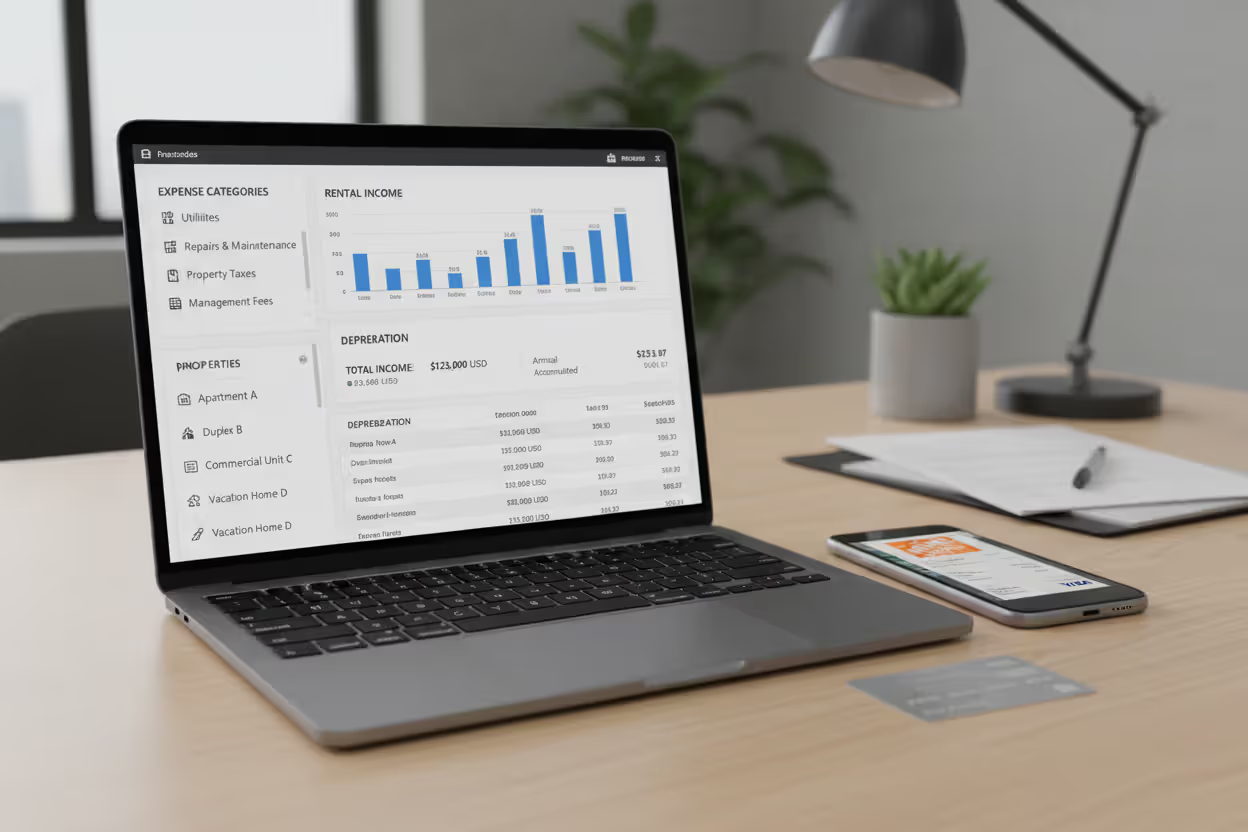
Landlord reviewing rental property taxes on a laptop at a desk
Tax Software for Rental Property Guide

Own a rental property? Then you already know tax season hits different. While your W-2 friends breeze through basic software in an hour, you're staring down Schedule E forms, calculating depreciation on a water heater you replaced in July, and wondering whether that fence repair counts as an improvement or maintenance expense.
Here's the thing: most big-name tax programs include rental features as an afterthought. They'll get you through a basic return, sure. But miss one depreciation calculation or misclassify a major expense, and you've just left hundreds—maybe thousands—of dollars on the table. Or worse, you've set yourself up for an IRS notice down the road.
With dozens of platforms claiming they're perfect for landlords in 2025, how do you pick one that actually earns its price tag? Let's cut through the marketing fluff and figure out what actually matters.
Why Landlords Need Specialized Tax Software
Your rental income doesn't work like a paycheck. The IRS categorizes it as passive income, which means you're filling out Schedule E—a form that asks way more questions than a 1040-EZ ever did. You'll report gross rents, then subtract operating expenses across 14 different categories, calculate depreciation, and navigate passive loss rules that might limit what you can actually deduct this year.
Think that sounds manageable? It is—until you factor in depreciation.
Residential rentals depreciate over exactly 27.5 years using something called MACRS. But here's the catch: you can't depreciate the land, only the building. So you need to split your purchase price between the two. And that new HVAC system you installed? That follows a different depreciation schedule than the structure itself. Some improvements might even qualify for immediate expensing under Section 179 or bonus depreciation rules (which, by the way, dropped from 60% to 40% in 2025).
Got three rentals? You're juggling three separate Schedule E entries. Own properties in different states? Add non-resident state returns to the mix. Claimed real estate professional status? Now you need to track material participation hours across each property.
Generic tax software treats rentals like a checkbox feature. Specialized platforms? They're built around these exact headaches. The difference shows up in automatic depreciation tables, expense categorization that matches IRS line items, and dashboards that track multiple properties without making you feel like you need an accounting degree.
The QBI deduction sweetens the pot for many landlords—it can knock up to 20% off your taxable rental income. But calculating it requires comparing your income against phase-out thresholds, factoring in W-2 wages, and adjusting for depreciation. Basic software either skips it entirely or walks you through a confusing interview that still leaves you uncertain.
Author: Benjamin Carte;
Source: atiservicesoftampa.com
Key Features to Look for in Rental Property Tax Software
Income and Expense Tracking
You need software that speaks Schedule E's language. When you buy cleaning supplies, the program should know that maps to line 6. Property insurance? That's line 9. Management fees go on line 11, repairs hit line 14.
The best platforms categorize as you spend—not in April when you're trying to remember what that $347 charge from Home Depot was for. Connect your bank account, snap photos of receipts with your phone, log mileage while you're actually driving to properties. This year-round approach beats scrambling through shoeboxes of crumpled receipts every single time.
Some tools sync directly with payment platforms like Zillow or Avail, pulling in rent deposits automatically. You'll never manually type "$1,500 rent - Unit 2B" again.
Depreciation Calculators
This feature separates pretenders from contenders. Quality software asks when you bought the property, what you paid, and what percentage represents the building versus land. From there, it auto-calculates your annual depreciation using the mid-month convention (because the IRS assumes you bought mid-month regardless of actual closing date—fun, right?).
Advanced platforms handle component depreciation. That $8,000 you spent on appliances? Those depreciate over five years, not 27.5. New carpet? Also five years. The software should track each component separately, calculate annual depreciation for everything, and maintain running totals year after year.
When you eventually sell, depreciation recapture becomes a thing. You'll owe taxes on all the depreciation you claimed (or should have claimed—the IRS doesn't care if you forgot). Software worth its subscription fee tracks accumulated depreciation and calculates recapture automatically.
Multi-Property Management
One rental? You can track income and expenses in a spreadsheet if you're disciplined. Three or more? You need purpose-built tools.
The right software shows profit and loss for each property individually while rolling everything up for tax filing. You should see at a glance that the duplex on Elm Street cleared $8,400 last year while the condo lost $2,100. This visibility drives decisions—which properties deserve more investment, which ones might need to go.

Author: Benjamin Carte;
Source: atiservicesoftampa.com
State-specific features matter if you own across state lines. The program needs to generate non-resident returns and allocate income correctly. Owning properties in three states without proper software is basically tax prep on hard mode.
Integration with Accounting Tools
Stand-alone tax software means entering data twice—once in your accounting system, again at tax time. That's inefficient and error-prone.
Look for connections to QuickBooks, Xero, or property management platforms like Buildium. When your accounting tool and tax software talk to each other, income and expenses flow automatically. You avoid typos, transposed numbers, and the soul-crushing realization that your totals don't match because you fat-fingered something three months ago.
Some landlords prefer all-in-one platforms handling everything from rent collection to tax prep. Others want specialized tools for each job, connected by integrations. Either approach works—just make sure the pieces actually connect.
Top Tax Software Options for Rental Property Owners
The market splits between general tax platforms with rental modules and dedicated real estate investor tools.
| Platform Name | Price Point | Property Limit | Schedule E Included | Depreciation Features | State Filing | Ideal User |
| TurboTax Premier | Starts at $89 | No limit | Yes | Automatic MACRS calculations | First state $49, additional $49 each | Landlords wanting step-by-step guidance |
| H&R Block Premium | Starts at $75 | No limit | Yes | Automatic MACRS calculations | First state $45, additional $45 each | Budget-minded owners with simple setups |
| TaxAct Premier Plus | Starts at $65 | No limit | Yes | Standard automation | First state $50, additional $50 each | Price-conscious filers who understand tax forms |
| Stessa | Free tracking, $99 tax prep | No limit | Yes | Component tracking included | State pricing varies | Portfolio owners needing year-round visibility |
| Landlord Studio | $15 monthly | No limit | Data export only | Manual tracking | Not applicable | Landlords working with CPAs |
| PropertyRex | $149 annually | No limit | Yes | Cost segregation support | Separate purchase | Serious investors with complex portfolios |
TurboTax Premier walks you through rentals with its signature interview approach. Answer questions about improvements, enter expenses by category, input acquisition details—the software handles calculations behind the scenes. The Home & Business version adds self-employment features if you've elected real estate professional status. Interface feels polished, support is responsive, but you're paying premium prices.
H&R Block Premium delivers similar functionality for less money. The experience feels slightly clunkier—you'll notice the cost savings in the UI design—but it handles multiple properties competently. Passive loss worksheets guide you through limitations on rental loss deductions, which matters if your income exceeds certain thresholds.
TaxAct Premier Plus costs the least of the major platforms. Trade-off? Less hand-holding. You'll see actual form fields instead of simplified questions. If you know what Schedule E line 14 means without looking it up, you'll save money here. If tax forms intimidate you, spend the extra $15-20 for friendlier software.
Stessa flips the model. Free property management and accounting all year, with tax prep as a paid add-on when you need it. Track every dollar that moves through your properties in real-time, categorize transactions as they happen, photograph receipts on your phone. Come tax season, your Schedule E practically fills itself out. The depreciation module handles components separately and tracks improvements apart from the base building.
Landlord Studio focuses on the tracking side—expense capture, mileage logs, receipt storage. When tax time arrives, export everything to your CPA or import it into separate tax software. The $180 annual cost ($15 monthly) makes sense if you value mobile-first expense tracking but prefer professional help with the actual return.
PropertyRex targets investors who need heavy-duty features. Cost segregation studies, 1031 exchange tracking, commercial property support—capabilities most small landlords never touch but that become essential at scale. The $149 price reflects this specialized audience.

Author: Benjamin Carte;
Source: atiservicesoftampa.com
How to Choose the Right Software for Your Situation
Start with property count. One rental? Any mainstream tax program with Schedule E support handles it fine. The advanced features in specialized software won't justify the extra cost or learning curve.
Own three to five properties? Now you're in the sweet spot for dedicated tools. Enough complexity that purpose-built features save real time, but you probably don't need enterprise-level capabilities yet.
Ten-plus properties? Year-round tracking becomes non-negotiable. Tax prep is almost secondary—you need platforms that maintain clean financial data all year. Consider property management software with robust tax reporting over basic tax-only tools.
Your CPA relationship matters more than you'd think. Working with a tax professional? Choose software that exports data in formats they prefer. Landlord Studio and similar tracking tools excel here—you maintain records, your CPA prepares returns. Confirmed DIY filer? Invest in comprehensive interview-style platforms that guide you through tricky situations.
State returns add $40-50 each. Own properties in four states? That's $160-200 in state filing fees on top of federal costs. Multi-state portfolios sometimes make CPA fees competitive with DIY software plus state charges.
Here's an unpopular truth: the cheapest software that causes you to miss deductions costs way more than premium software that finds every legitimate write-off. A $25 price difference means nothing if better depreciation tracking saves $1,800 in taxes.
Common Tax Deductions Rental Property Software Helps You Claim
Interest on acquisition loans or improvement financing represents one of your biggest deductions. Quality software automatically places this on the correct Schedule E line. Critical distinction: only interest on loans used for rental purposes qualifies. Refinanced for a personal vacation? That portion doesn't count.
Local property tax bills—those quarterly payments to your city or county—can be deducted in full. Software should separate these from property taxes on your personal residence, which face SALT deduction caps.
The repair versus improvement classification trips up landlords constantly. Fixed a leaky faucet, painted a room, patched drywall? Those are repairs—deduct immediately. Replaced the entire roof, remodeled the kitchen, added a bedroom? Those are improvements—capitalize and depreciate over years. Quality platforms include decision trees helping you classify correctly because getting this wrong creates problems both ways.
Travel to manage properties adds up faster than you think. Standard mileage rate hit 70 cents per mile in 2026. Drive to a rental once weekly for inspections, repairs, or tenant meetings? That's potentially $1,500-2,000 in annual deductions. Software with built-in mileage tracking captures this automatically instead of making you reconstruct trips from memory.

Author: Benjamin Carte;
Source: atiservicesoftampa.com
Home office deductions apply when you use part of your residence exclusively and regularly for rental management. The simplified calculation method gives you $5 per square foot, capping at 300 square feet. Proper software calculates this and applies the limitation preventing it from creating rental losses.
Depreciation deserves its own paragraph because it's both the most valuable deduction and the most commonly botched. Here's what kills me: landlords who don't claim depreciation because they think it's optional or too complex. The IRS mandates depreciation recapture on sale whether you claimed it annually or not. Skip the deduction, and you're literally paying tax twice on the same income—once through higher annual taxes, again through recapture. Software eliminates the complexity excuse entirely.
I review landlord tax returns constantly, and the pattern never changes—missed depreciation shows up in maybe 40% of DIY returns I see. What breaks my heart is explaining that they'll still owe recapture tax when they sell, even though they never got the annual benefit. Quality software prevents this completely by calculating depreciation automatically. You can't accidentally skip it when it's built into the workflow
— Michael Torres
Mistakes Landlords Make When Filing Rental Property Taxes
Skipping depreciation tops my list because it's both common and painful. Some landlords actually believe they're being strategic—"I'll save depreciation for years when I need it more." Doesn't work that way. Depreciation is mandatory in IRS eyes. You must calculate recapture based on allowable depreciation (what you should have claimed), not actual depreciation claimed. Skip it annually, you still pay recapture later. You've just volunteered to pay higher taxes now AND later.
Classification errors go both ways. Treat a $15,000 roof replacement as a repair, deduct it immediately, and you're likely triggering IRS scrutiny. Flip side: capitalize routine $200 repairs and depreciate them over 27.5 years? You're delaying deductions unnecessarily. Software with classification guidance prevents both mistakes.
Poor record-keeping kills legitimate deductions dead. Can't produce a receipt during audit? You're losing that deduction, period. Reconstruction from bank statements sometimes works for payments, but good luck explaining cash purchases or justifying deductions without documentation. Year-round digital tracking creates audit-proof trails that survive IRS examination.
Passive activity loss limitations confuse many landlords. Unless you qualify as a real estate professional (specific IRS definition requiring 750+ hours annually in real estate activities), rental losses might not reduce your W-2 or business income. Most landlords fall under special allowance rules: deduct up to $25,000 in rental losses if your modified AGI stays under $100,000. This allowance phases out dollar-for-dollar between $100,000-$150,000 AGI, disappearing completely above $150,000. Software should apply these limits automatically and carry forward suspended losses.
Mixing personal and rental expenses creates nightmares. Used your truck for property repairs and personal errands? Track business mileage separately. Stayed in your rental for a weekend? Reduce rental days and allocate expenses proportionally. Combining everything in one bank account makes proper separation nearly impossible to prove later.
Security deposits confuse even experienced landlords. Money held in trust and intended for return isn't income when received. Only amounts actually kept for damages or unpaid rent become taxable. Software should track deposits separately, recognizing income only when you legally retain it.
Frequently Asked Questions About Rental Property Tax Software
Choosing appropriate software transforms rental property tax season from panic-inducing chaos into a manageable process. The right platform surfaces deductions you'd otherwise overlook, automates calculations you'd struggle through manually, and maintains documentation supporting your return if the IRS comes knocking.
Start with honest self-assessment: How many properties do you own? How complex are they? How comfortable are you with tax concepts? Do you work with a CPA or file solo? Single-property landlords with straightforward scenarios succeed with mainstream platforms including Schedule E support. Portfolio owners benefit from specialized year-round tracking generating tax-ready reports.
Price shouldn't dominate your decision. A $50 software price difference becomes irrelevant if the cheaper option causes you to miss $2,000 in component depreciation or waste ten additional hours manually categorizing transactions. Evaluate total value: time saved, deductions optimized, confidence in accuracy.
Consider adopting software mid-year instead of waiting until tax season. Year-round tracking eliminates the receipt reconstruction scramble and provides ongoing visibility into property performance. You'll make smarter investment decisions when you see real-time profitability instead of waiting until April to learn which properties actually made money.
Remember: software amplifies your tax knowledge, it doesn't replace it. Invest time understanding Schedule E requirements, depreciation basics, and passive loss rules. The combination of tax fundamentals plus quality software produces dramatically better results than either element alone. Your future self—the one not panicking in late March—will thank you.
Related Stories

Read more

Read more




The content on this website is provided for general informational and educational purposes only. It is intended to explain concepts related to tax filing, tax software, IRS forms, deadlines, and general tax preparation processes.
All information on this website, including articles, guides, and examples, is presented for general educational purposes. Tax filing requirements may vary depending on individual circumstances, income sources, residency status, and applicable laws.
This website does not provide tax, legal, or financial advice, and the information presented should not be used as a substitute for consultation with a qualified tax professional or advisor.
The website and its authors are not responsible for any errors or omissions, or for any outcomes resulting from decisions made based on the information provided on this website.