

Business owner choosing tax software for an LLC at a desk with laptop and documents
How to Choose Tax Software for LLC Filing

Selecting the right tax preparation platform for your limited liability company determines whether April becomes a manageable deadline or a stress-filled scramble. LLCs occupy a unique space in the tax code—they're not inherently taxed as a specific entity type, which means your software needs must align with how the IRS actually treats your business structure.
The wrong choice costs you more than money. You might miss deductions, file incorrect forms, or spend hours manually entering data that better software would import automatically. Before comparing price tags and feature lists, you need a clear picture of what your LLC actually requires from tax preparation technology.
Understanding LLC Tax Filing Requirements
The IRS doesn't recognize "LLC" as a tax classification. Instead, your limited liability company defaults to one of several treatments depending on membership structure, or you can elect alternative classifications.
A single-member LLC defaults to disregarded entity status. The IRS treats your business income and expenses as if you were a sole proprietor, requiring Schedule C attached to your personal Form 1040. Your business profit flows directly to your individual return, and you pay self-employment tax on net earnings. Some single-member LLCs elect S corporation treatment, which changes the filing requirement to Form 1120-S with a separate corporate return.
Multi-member LLCs default to partnership taxation. This requires Form 1065—a partnership return that reports total income and expenses but doesn't calculate tax owed. Instead, the partnership generates Schedule K-1 forms for each member, showing their share of income, deductions, and credits. Each member then reports their K-1 amounts on their personal returns. Multi-member LLCs can also elect S corporation or C corporation treatment, each with distinct filing requirements.
State-level obligations add another layer. Most states impose franchise taxes, annual reports, or separate income taxes on LLCs regardless of federal treatment. California charges an $800 minimum franchise tax plus gross receipts fees. New York requires both state income tax returns and publication requirements for new LLCs. Your software must handle these state-specific filings or you'll need separate solutions.
Pass-through taxation creates quarterly estimated tax obligations. Unlike W-2 employees with automatic withholding, LLC owners must calculate and pay estimated taxes four times yearly. Software that integrates estimated tax calculations with your filing saves you from underpayment penalties.

Author: Derek Langston;
Source: atiservicesoftampa.com
Key Features to Look for in LLC Tax Software
Multi-user access matters when you have business partners or work with a bookkeeper. Partnership returns require coordination—one person enters income data while another handles expense categorization. Look for platforms that allow simultaneous access with role-based permissions, so your accountant can review without accidentally deleting entries.
Schedule K-1 generation separates basic software from true llc tax software. Multi-member LLCs must produce accurate K-1 forms for each partner, calculating their distributive share of income, deductions, credits, and basis adjustments. The software should handle special allocations if your operating agreement doesn't split everything by ownership percentage, and it must generate both partner copies and IRS submissions.
State filing support varies dramatically across platforms. Some include one state return in the base price; others charge $40-60 per state. If your LLC operates in multiple states—common for online businesses or companies with remote employees—those per-state fees compound quickly. Check whether the software handles state-specific forms like California's Form 568 or New York's IT-204.
Import capabilities eliminate manual data entry. Quality software for llc taxes pulls data directly from QuickBooks, Xero, FreshBooks, or other accounting platforms. This reduces transcription errors and saves hours of typing. Bank account import features let you download transactions for expense categorization, though you'll still need proper accounting software for comprehensive bookkeeping.
Accuracy guarantees and audit support provide safety nets. Major providers offer maximum refund guarantees and will pay penalties if their software miscalculates your tax. Audit defense services connect you with tax professionals if the IRS questions your return, though these often cost extra. Read the fine print—some guarantees exclude user data entry errors.
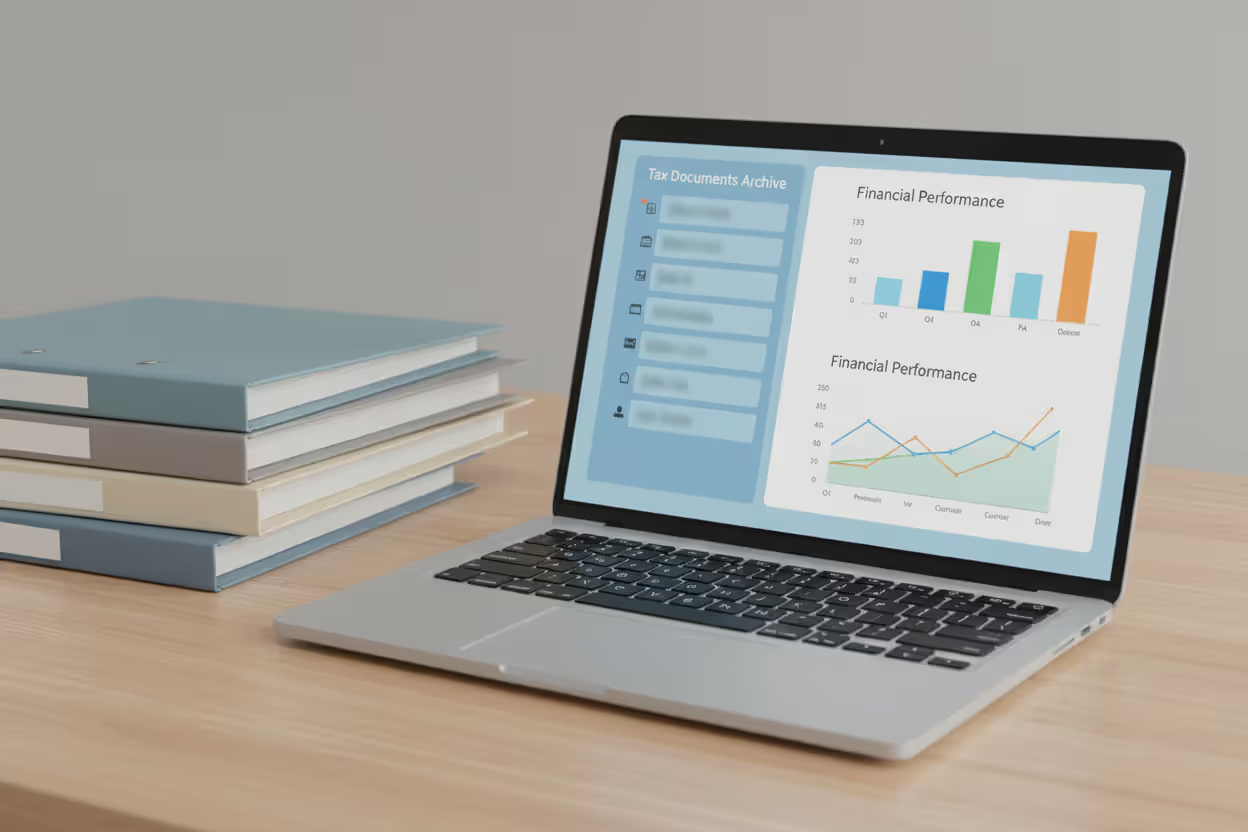
Prior-year access lets you reference old returns when preparing current filings. You might need to check last year's depreciation schedule or compare income trends. Platforms that delete prior-year data after filing season ends force you to maintain separate archives.
Author: Derek Langston;
Source: atiservicesoftampa.com
Tax Software Options for Single Member LLCs
Single-member LLCs filing as disregarded entities need software that seamlessly integrates Schedule C with personal returns. Your business taxes aren't separate from your individual filing—they're one combined return.
TurboTax Home & Business handles this integration smoothly. The platform walks you through business income and expenses, then automatically transfers totals to Schedule C on your 1040. It includes Section 179 depreciation calculations, home office deductions, and vehicle expense tracking. The 2026 version costs $129 for federal filing plus $59 per state. The main drawback: it's designed for simpler businesses, so complex inventory accounting or manufacturing operations might strain its capabilities.
H&R Block Premium & Business offers similar functionality at a lower price point—typically $95 for federal returns. It imports data from accounting software and includes audit support. The interface feels less polished than TurboTax, but the core calculations are equally reliable. H&R Block provides in-person office support if you get stuck, which pure online platforms can't match.
TaxAct Self-Employed positions itself as the budget option at $65 for federal filing. It covers Schedule C requirements and includes one state return in the base price. The trade-off: less hand-holding during the process. If you're comfortable with tax concepts, TaxAct delivers the same forms at half the cost. If you need extensive guidance, the sparse help documentation frustrates.
For single-member LLCs electing S corporation treatment, you'll need software that handles Form 1120-S corporate returns. TurboTax Business and H&R Block Business editions support this, but prices jump to $200-300. At that complexity level, many owners find that hiring a CPA costs less than the software plus your time investment.
The tax software for single member llc that works best depends on your comfort level with tax concepts and your business complexity. A freelance writer with straightforward income and expenses thrives with basic Schedule C software. A single-member LLC with inventory, employees, and multiple revenue streams needs more robust features.

Author: Derek Langston;
Source: atiservicesoftampa.com
Tax Software Options for Multi Member LLCs
Partnership taxation requires dedicated software that handles Form 1065 and all its schedules. Consumer tax software won't cut it—you need business-grade platforms designed for partnership complexity.
TaxAct Business 1065 starts at $149.95 for federal filing and includes unlimited K-1 forms. It handles basic partnerships with standard profit-sharing arrangements. The software calculates each partner's distributive share, generates K-1 forms, and tracks basis adjustments. State partnership returns cost $49.95 each. TaxAct Business works well for straightforward partnerships without special allocations or complex capital account adjustments.
TurboTax Business offers more guidance for partnership filers at $229 for federal returns. The interview-style process walks you through partnership-specific questions about guaranteed payments, special allocations, and partnership debt. It imports QuickBooks data and generates all necessary schedules. However, it doesn't include state returns—those cost $59 each. The platform suits partnerships that need more hand-holding but still have relatively standard structures.
H&R Block Business provides a middle ground at $179 for federal filing. It supports multi-member LLCs with complex allocations and handles most partnership scenarios. The software includes basis tracking and can manage partnerships with multiple classes of ownership. State returns run $39 each.
Drake Tax and TaxSlayer Pro represent professional-grade options typically used by CPAs but available to business owners. Drake Tax costs $395 for unlimited 1065 returns during tax season, making it economical if you're filing multiple partnership returns or plan to use it for several years. The interface assumes tax knowledge—there's no interview process, just form-based data entry. TaxSlayer Pro follows a similar model at $359 annually.
ProConnect Tax (formerly Intuit ProSeries) and Lacerte serve high-volume professional preparers but allow business owners to purchase single-return licenses for $300-500. These platforms handle any partnership complexity—tiered partnerships, multiple state allocations, Section 754 elections, and sophisticated capital account calculations. The learning curve is steep, but the capability is comprehensive.
The right tax software for multi member llc balances cost against complexity. A two-partner consulting firm with 50/50 profit sharing needs far less than a real estate partnership with ten members, varying capital contributions, and special allocations for depreciation.
Comparing Popular LLC Tax Filing Software
| Software Name | Single-Member LLC Support | Multi-Member LLC Support | State Filing Included | Price Range | Best For |
| TurboTax Home & Business | Yes (Schedule C) | No | No ($59/state) | $129 federal | Simple single-member LLCs needing guidance |
| TurboTax Business | S-Corp election | Yes (Form 1065) | No ($59/state) | $229 federal | Partnerships wanting interview-style process |
| H&R Block Premium | Yes (Schedule C) | No | Yes (1 state) | $95 federal | Budget-conscious single-member LLCs |
| H&R Block Business | S-Corp election | Yes (Form 1065) | No ($39/state) | $179 federal | Mid-complexity partnerships |
| TaxAct Self-Employed | Yes (Schedule C) | No | Yes (1 state) | $65 federal | Cost-focused solopreneurs |
| TaxAct Business 1065 | No | Yes (Form 1065) | No ($49.95/state) | $149.95 federal | Standard partnerships without special allocations |
| Drake Tax | Yes (all entity types) | Yes (Form 1065) | Yes (all states) | $395 unlimited | Multiple returns or complex scenarios |
The table reveals a clear pattern: llc tax filing software prices correlate with complexity rather than quality. Consumer-grade platforms handle straightforward situations well, while professional software justifies higher costs through advanced features most small LLCs never need.
Common Mistakes When Choosing Software for LLC Taxes
Mismatching software to LLC type represents the most expensive error. Business owners see "business tax software" and assume it fits their needs without checking whether it handles their specific entity classification. A multi-member LLC owner who purchases TurboTax Home & Business discovers at filing time that it only handles Schedule C, not Form 1065. By then, they've spent hours entering data into the wrong platform.
Ignoring state filing needs creates last-minute scrambles. You focus on federal requirements, then realize three days before the deadline that your state requires a separate LLC return. Some states demand filings even when the LLC had no activity. Software that doesn't support your state forces you to paper-file or purchase additional solutions.
Overlooking multi-state requirements hits businesses that expanded during the year. You started in Florida with no state income tax, then hired a remote employee in California. Now you have California nexus and filing obligations. Software that charges per state return turns your $150 budget into $400 when you need to file in four states.
Not considering growth and scalability means repurchasing software annually. Your single-member LLC plans to add a partner next year. Software that only handles Schedule C becomes obsolete, and you'll need to learn an entirely new platform for partnership filing. Starting with software that accommodates both structures—even if you pay slightly more initially—provides continuity.
Focusing solely on price without evaluating time costs produces false economy. A $65 software package that requires ten hours of frustrated form-hunting costs more than $200 software that guides you through in two hours. Calculate the value of your time when comparing options.
Skipping the trial or demo means committing blind. Most platforms offer sample returns or money-back guarantees. Test the interface before tax season hits. Can you find the forms you need? Does it import your accounting data correctly? A fifteen-minute trial prevents hours of tax-time frustration.
Choosing tax software for an LLC starts with understanding how the business is taxed, not simply how it is organized. The best platform reduces filing errors, supports the right forms, and saves time as the company grows
— Morgan Elise
Frequently Asked Questions
The right tax software for your LLC matches your entity's tax classification, handles your state filing obligations, and scales with your business growth. Single-member LLCs filing Schedule C need different tools than multi-member partnerships generating K-1 forms. Price matters, but functionality and time savings matter more.
Start by confirming how the IRS treats your LLC—disregarded entity, partnership, S corporation, or C corporation. That classification determines which forms you must file and narrows your software options immediately. Then evaluate state requirements, since multi-state operations can double or triple your software costs through per-state fees.
Test software before tax season arrives. Import last year's data if possible, or work through the demo with sample numbers. The interface that makes sense to you might confuse someone else, and vice versa. What matters is whether you can navigate the software efficiently without constant help documentation searches.
Remember that tax software is a tool, not a substitute for tax knowledge. It calculates correctly if you input data accurately, but it won't tell you which business structure minimizes your tax burden or whether you're missing valuable deductions. For strategy and optimization, you still need professional advice. For accurate form completion and electronic filing, quality software delivers tremendous value at a fraction of CPA costs.
Choose software that fits your current needs while accommodating likely growth. Your LLC's tax requirements will evolve—make sure your software can evolve with them.
Related Stories

Read more

Read more



The content on this website is provided for general informational and educational purposes only. It is intended to explain concepts related to tax filing, tax software, IRS forms, deadlines, and general tax preparation processes.
All information on this website, including articles, guides, and examples, is presented for general educational purposes. Tax filing requirements may vary depending on individual circumstances, income sources, residency status, and applicable laws.
This website does not provide tax, legal, or financial advice, and the information presented should not be used as a substitute for consultation with a qualified tax professional or advisor.
The website and its authors are not responsible for any errors or omissions, or for any outcomes resulting from decisions made based on the information provided on this website.