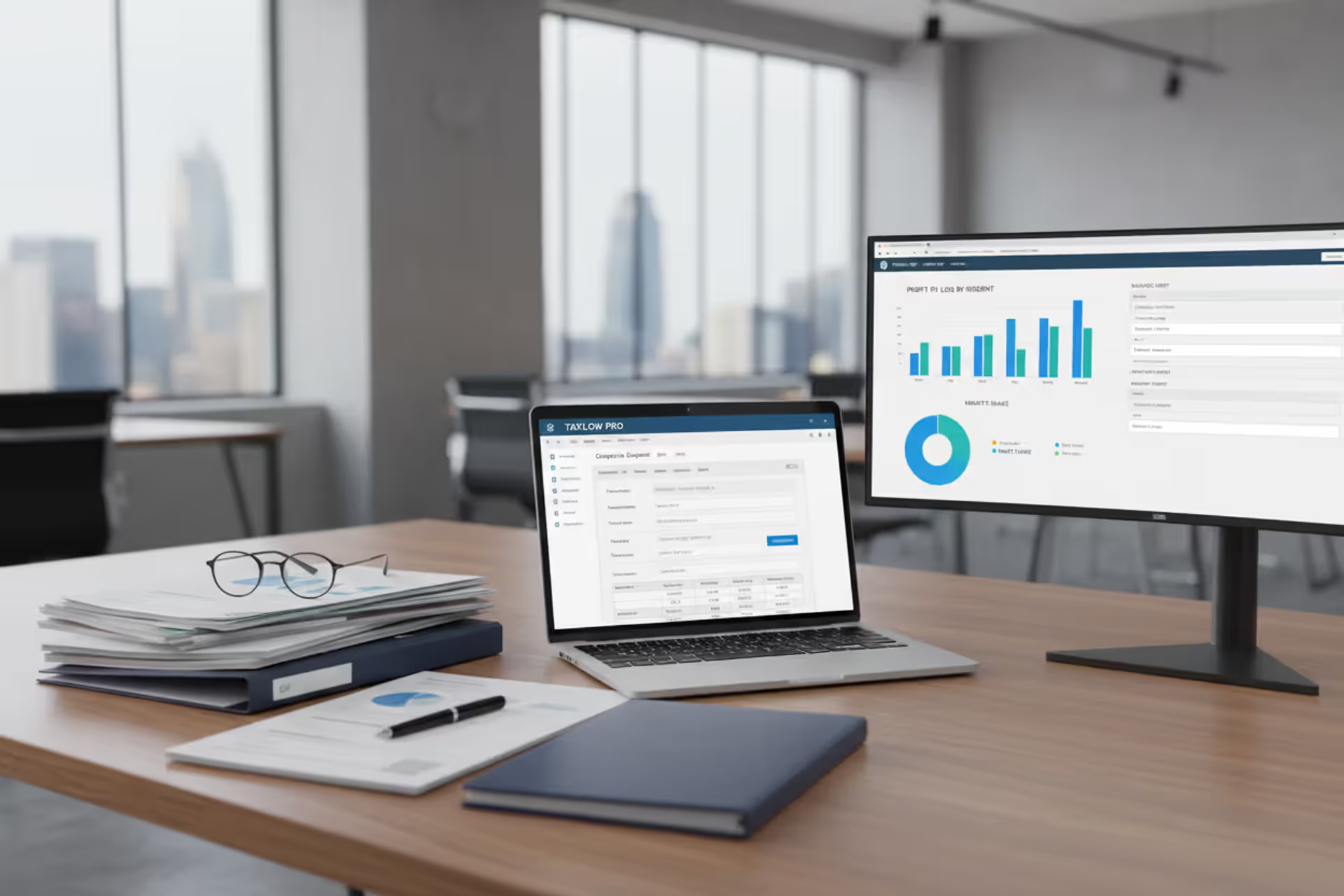
Corporate tax software dashboard on a desk with financial reports
C Corp Tax Software Guide for Corporate Tax Filing

C corporation tax returns don't file themselves—and honestly, they're a beast to prepare. Between Schedule M reconciliations, multi-state apportionment headaches, and keeping depreciation straight across years, you're looking at weeks of work if you're doing it manually. Good software cuts that down dramatically. Bad software? You'll wish you'd just used spreadsheets.
Here's what you actually need to know about corporate tax software—the features that matter, where companies screw up their selection, and how to figure out if you even need it.
What Is C Corporation Tax Software?
Think of C corporation tax software as the specialized tool for preparing Form 1120 and everything that goes with it. It's not TurboTax for your business. It's built specifically for corporations that face double taxation—once at the corporate level, then again when shareholders receive dividends.
The software handles calculations you'd otherwise spend hours on. Depreciation tables for that equipment you bought in Q3? Done automatically using MACRS conventions. Net operating losses from 2019 carrying forward? Tracked across years without manual spreadsheets. That nightmare Schedule M-3 reconciliation between your financial statements and taxable income? The software walks you through every book-tax difference.
I've cleaned up some expensive messes. Last year, a manufacturing client used their old S-corp software after converting to C status. They completely missed the accumulated earnings tax calculation and botched their dividends-received deduction. The amended returns, penalties, and professional fees to fix everything ran $47,000. Their correct software would've cost $1,200
— Marcus Chen
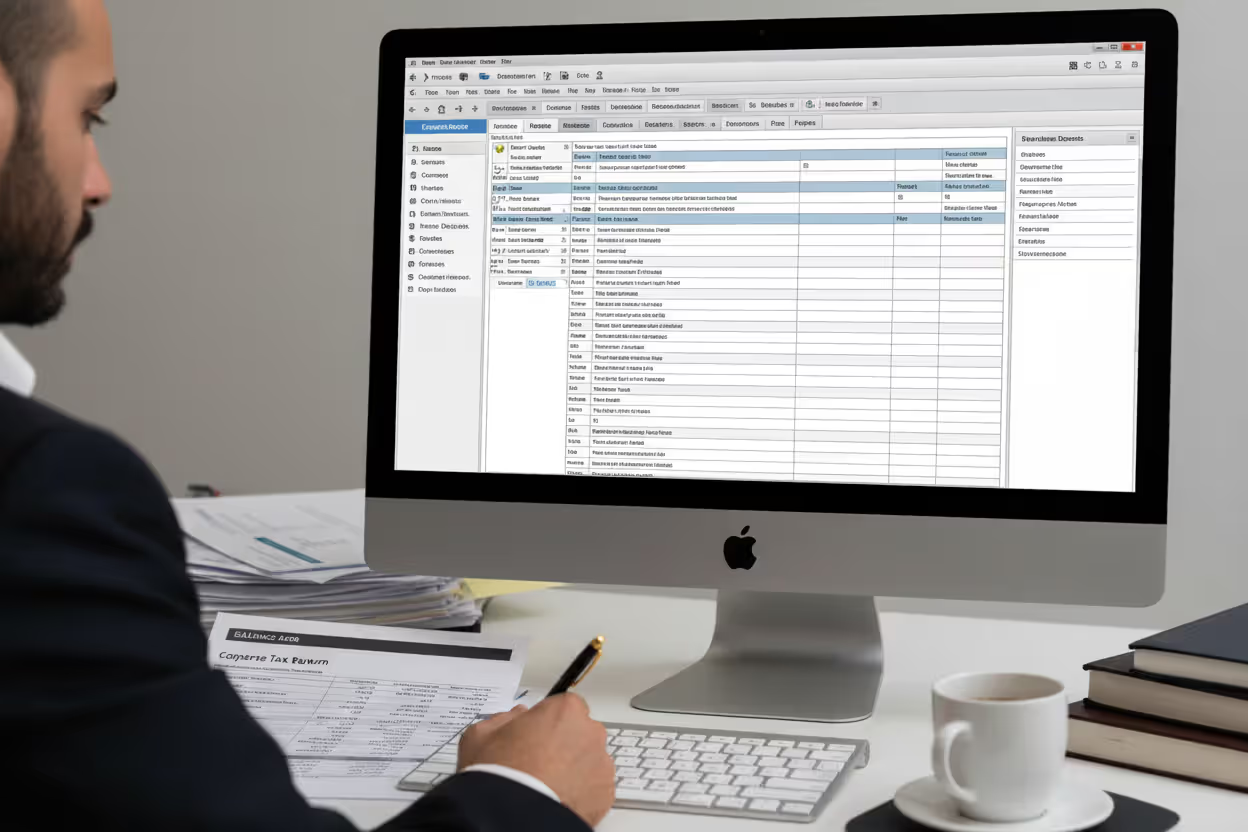
Who actually needs this? You do if you're a C corp filing Form 1120. Doesn't matter if you're a one-owner professional corporation or a 200-employee manufacturer. Once your finances get beyond basic revenue minus expenses—you've got inventory, equipment depreciation, or operations in multiple states—manual preparation gets dangerous.
Here's what trips people up: not all business tax software does C corps well. Software designed for sole proprietors or partnerships lacks the corporate-specific forms entirely. Some "business" packages include C corp functionality as a checkbox feature but fumble complex scenarios like controlled group allocations or consolidated returns for parent-subsidiary structures.
The difference shows up in details. Can it handle your dividends-received deduction properly? Does it calculate corporate AMT for prior years before the TCJA eliminated it? Will it catch when your accumulated earnings might trigger additional tax? Generic business software won't. Specialized C corp packages will.
Author: Benjamin Carte;
Source: atiservicesoftampa.com
Key Features to Look for in Corporate Tax Filing Software
Shopping for tax software feels overwhelming because vendors all claim they do everything. Here's what actually separates useful tools from time-wasters.
| What You're Evaluating | Why This Matters for Your Filing | The Capability You Want | Warning Signs to Avoid |
| Form 1120 Coverage | You can't file without complete federal forms | Every schedule available—M-3 for larger corps, Schedule L balance sheets, Schedule K for all the extras | "Basic 1120 support" usually means missing schedules you'll need |
| State Return Handling | Your state wants money too, and each has unique rules | Built-in state preparation with automatic apportionment when you operate in multiple jurisdictions | Charging separately for each state return adds up fast |
| Asset and Depreciation Tracking | Get this wrong and your deductions are off for years | Software remembers every asset, applies Section 179 and bonus depreciation automatically, carries basis forward | Starting from scratch every year means you'll eventually make costly mistakes |
| Estimated Tax Tools | Underpayment penalties hurt | Calculates quarterly requirements using safe harbor methods and warns you about potential penalties | You're on your own figuring out if you paid enough and when |
| Connecting to Your Accounting Software | Double entry is where errors creep in | Direct data pulls from QuickBooks, Xero, NetSuite, or whatever you use | Manual CSV exports that you have to format and pray you didn't miss anything |
| Electronic Filing | The IRS requires e-filing for most corporations anyway | IRS-authorized e-file for federal and states with confirmation tracking built in | Extra charges for e-filing or worse, paper-only filing that slows everything down |
| Calculation Transparency | You need to defend your numbers if questioned | Drill-down worksheets showing exactly how every figure was calculated, with prior-year comparisons | Black-box math with no way to verify the software's work |
Your specific situation determines which other features matter. Got international transactions? You'll need transfer pricing documentation support that most basic packages skip. Significant capital gains and losses? Schedule D handling better be robust. Part of a controlled group? The software needs to split certain deduction limits among related corporations automatically.
Pay special attention to accounting integration quality. Schedule M reconciliation—where you explain differences between GAAP income and taxable income—causes more errors than anything else. Software that imports your trial balance directly and systematically works through each book-tax difference (like 50% meals limitation, tax-exempt income, nondeductible expenses) catches problems that manual processes miss every time.
How C Corp Return Filing Software Works
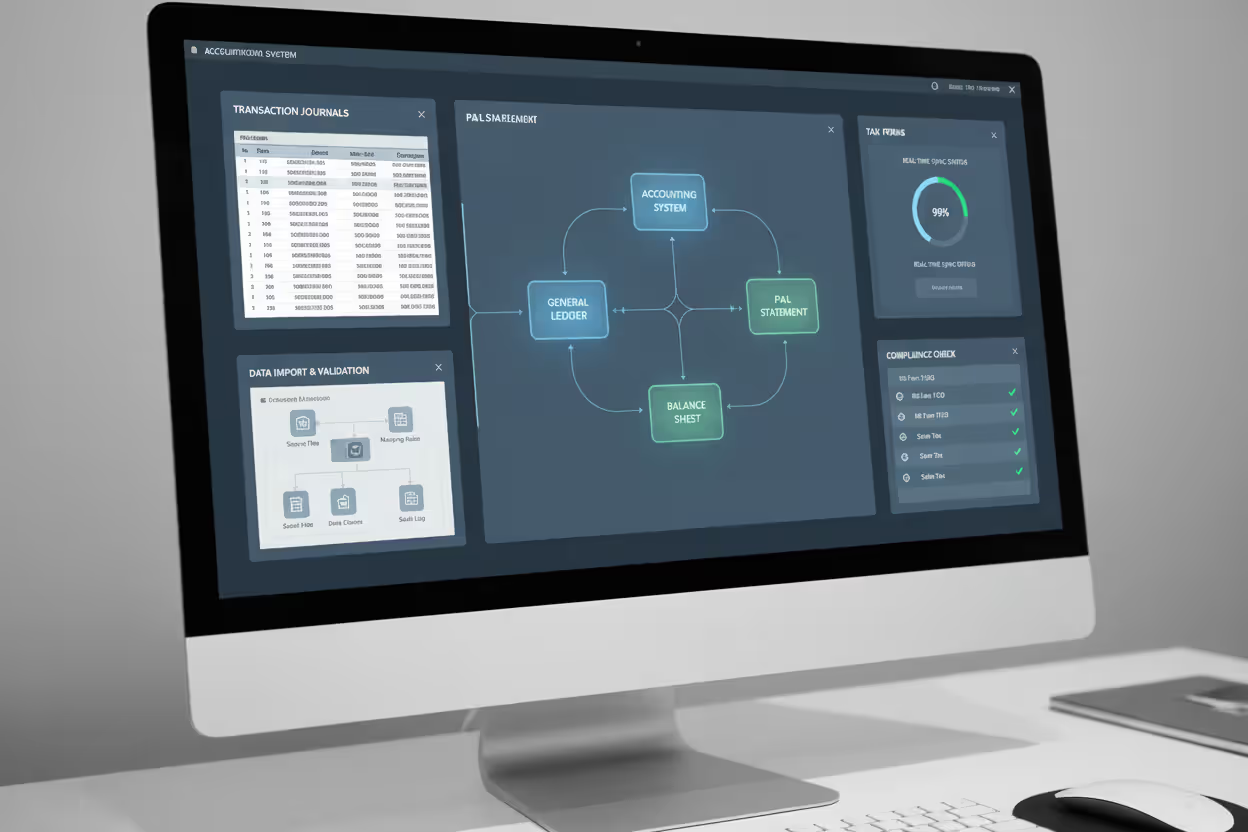
Understanding the workflow helps you know what to expect when you're actually using these tools.
Author: Benjamin Carte;
Source: atiservicesoftampa.com
Data Import and Integration
You start by connecting your accounting system to the tax software. Modern platforms use APIs to pull your general ledger, balance sheet, and P&L directly. This happens at the summary level—you're bringing in account totals like total revenue or total depreciation expense, not every individual transaction.
Once imported, you map your chart of accounts to tax return line items. Sales revenue goes to Form 1120, page 1, line 1a. Fixed assets populate Schedule L. This mapping takes some setup initially but saves massive time in following years. Some software learns from account names—see "Officer Compensation" and suggests mapping it to the appropriate line automatically.
Then comes reconciliation between how your books treat items versus how tax law treats them. Your accounting recorded $10,000 in meal expenses at full cost. Tax law only allows 50%. The software identifies these differences and guides you through proper Schedule M-1 or M-3 adjustments depending on your company's asset size. For corporations with $10 million+ in assets, Schedule M-3 gets extremely detailed across multiple parts.
Form Preparation and Calculations
With clean data loaded, the software crunches all the numbers across interconnected forms and schedules:
- Computes taxable income applying deductions in proper sequence
- Runs depreciation using MACRS tables and applies mid-quarter conventions when your Q4 asset purchases exceed 40% of annual additions
- Applies net operating loss carryforwards from prior years following current tax law ordering rules
- Calculates estimated tax penalties by comparing what you should have paid each quarter to what you actually paid
- Handles state apportionment formulas splitting your income across states based on property, payroll, and sales factors
- Works through AMT calculations for applicable years
Quality software asks questions instead of throwing blank forms at you. "Did you sell any business assets this year?" Yes? It activates Schedule D and Form 4797. "Operating in multiple states?" Yes? It launches into state return preparation for each jurisdiction.
You should be able to click any number on your return and see the supporting schedule or worksheet behind it. This transparency matters during your internal review and becomes critical when the IRS questions a figure three years later.
Review and E-Filing Process
Before filing, diagnostics scan for common problems: required forms missing, inconsistent numbers between related schedules, figures that fall outside normal ranges for companies like yours. These checks catch mistakes like reporting capital gains without attaching Schedule D, or claiming deductions that exceed statutory limits.
Side-by-side comparison with last year's return is essential. Why did your effective tax rate jump from 18% to 26%? What caused that 40% increase in officer compensation? The software should flag significant variances and prompt you to document explanations. You'll want those notes when the IRS comes calling.
E-filing goes through IRS-approved transmitters. The software formats everything to IRS XML specifications and submits electronically. You get acknowledgment within 24-48 hours confirming acceptance or listing rejection errors needing fixes. State returns follow similar processes, though timing varies—some states acknowledge same-day, others take a week.
Most packages store filed returns electronically with search functionality. This archive becomes invaluable when preparing next year's return or responding to IRS notices referencing prior filings.
Common Mistakes When Choosing Software for C Corp Taxes
Companies make predictable mistakes during software selection that create problems months later when deadlines approach.
Picking software based on brand familiarity from personal taxes. The big consumer tax brands offer business versions, but corporate functionality often ranks as an afterthought. Your CFO used TaxBrand for personal returns for 15 years, assumes the business version delivers equivalent quality, then discovers it only supports 12 states or lacks forms for dividends-received deductions. That personal brand comfort can't compensate for missing corporate capabilities.
Buying for today while ignoring tomorrow. A newly incorporated business with simple operations picks entry-level software handling current needs fine. Two years later, the company operates in six states, holds inventory worth $800,000, and bought $1.2 million in equipment. The original software can't scale up. Now you're migrating platforms mid-year, often re-entering years of historical data for proper carryforward calculations.
Assuming "all 50 states supported" means equal treatment. Software markets "nationwide coverage" but treats California's complex apportionment rules comprehensively while Wyoming gets minimal guidance. If you operate where unique requirements exist—Massachusetts combined reporting, New York's MCTMT, states requiring separate entity versus combined filing elections—verify the software actually handles these specifics thoroughly.
Underestimating support access and quality. Tax software support requests spike in March. Some vendors staff appropriately. Others don't. You hit an unusual situation two days before the deadline and can't reach anyone knowledgeable. Check whether support includes actual tax professionals who understand corporate taxation, or just technical support staff who can only help with software operation issues like password resets.
Chasing the lowest price. Software costing $400 less than competitors seems attractive until you calculate the extra 20 hours your controller spent wrestling with clunky interfaces, manually entering data that should've imported automatically, or fixing errors that better software would've prevented. What's your controller's time worth? Probably $60-100 per hour loaded. That "savings" just cost you $1,200-2,000 in additional labor.
Defaulting to cloud-based as automatically superior. Cloud solutions offer automatic updates and anywhere access. But corporations in regulated industries sometimes face compliance requirements that cloud storage complicates. Some cloud platforms charge per simultaneous user, making them expensive for larger tax departments. Desktop software with controlled local access sometimes proves more appropriate despite seeming old-fashioned.

Author: Benjamin Carte;
Source: atiservicesoftampa.com
Cost Factors for Corporation Tax Return Software
Corporate tax software pricing varies wildly based on features, company size, and whether it's cloud or desktop.
Entry-level packages for small corporations with straightforward returns run $200-400 annually. You get federal Form 1120 and one or two state returns, basic form support, and limited integration. Works fine for corporations with simple income and expenses, single-state operations, and minimal assets requiring depreciation.
Mid-tier solutions serving established small to mid-sized corporations cost $800-2,500 yearly. This tier delivers comprehensive form coverage, multi-state filing for several jurisdictions, accounting system integration, and e-filing for federal and state returns. The software handles complexity: inventory accounting, extensive depreciation schedules, consolidated returns for parent-subsidiary structures, and detailed audit trails.
Enterprise packages for larger or complex-situation corporations run $3,000-10,000+ annually. These platforms support unlimited state returns, advanced consolidation capabilities, transfer pricing documentation, international tax forms, and sophisticated tax projection and scenario modeling tools. Priority support with tax professional access comes standard, sometimes with dedicated account management.
What pushes costs higher within ranges?
State return volume. Most packages bundle one or a few state returns with base pricing, then charge $50-200 per additional state. Operating in ten states adds up quickly.
Number of entities. Pricing often scales with entities filing. A parent with three subsidiaries might pay per-entity fees, though some vendors offer consolidated pricing.
User licenses. Cloud solutions frequently charge per user. Five tax department staff accessing simultaneously costs more than single-user access.
Add-on modules. Advanced features like comprehensive fixed asset management, sales tax integration, or international tax compliance often require separate module purchases beyond base pricing.
Watch for hidden costs. E-filing fees sometimes appear as separate charges despite being essential functionality. Prior-year data conversion when switching from another system might trigger professional services fees ranging $500-2,000. Telephone support beyond basic troubleshooting could require premium support subscription upgrades at $300-800 annually.
Calculate ROI realistically. If software saves your controller 50 hours of manual calculation and data entry, that's $3,000-5,000 in avoided labor costs at $60-100 per hour loaded rates. Preventing one significant filing error triggering penalties or requiring amended returns easily justifies any reasonable software investment. I've seen single errors cost $15,000 in penalties plus professional fees to fix—makes that $2,000 software look like a bargain.

Author: Benjamin Carte;
Source: atiservicesoftampa.com
When to Use Tax Software vs. Hiring a Tax Professional
This isn't software versus professional—it's usually software plus professional in varying combinations. Match the approach to your complexity and internal expertise.
Pure software works when: - Operations are straightforward—single-state, service business, minimal fixed assets - Internal staff possess solid tax knowledge handling book-tax differences and technical questions confidently - Your situation stays consistent year-over-year without major transactions or structural changes - You're comfortable taking responsibility for filing accuracy and defending positions during audits
Professional preparation makes sense when: - Complexity runs high—multi-state nexus questions, significant capital transactions, international operations, or controlled group complications - Internal expertise can't confidently handle technical tax questions - Error risk carries high stakes due to your industry, size, or regulatory environment - You need strategic tax planning beyond compliance filing
Hybrid approaches deliver optimal value for many corporations:
Software for preparation with professional review before filing. Your staff uses software to import data, prepare forms, and generate a complete return. Then a CPA reviews for accuracy and optimization opportunities. This costs 40-60% less than full professional preparation while providing expert oversight where it matters most.
Professional preparation with software for scenario planning. Your CPA firm handles actual filing, but you use software throughout the year for estimated tax projections, depreciation planning, and evaluating tax impacts of proposed transactions before executing them.
Software for federal, professional for complex states. Handle federal Form 1120 using software but engage specialists for states with particularly complex requirements or where nexus questions exist. California and New York come to mind—their rules deserve specialized attention.
The complexity threshold varies with your risk tolerance and internal capabilities. A corporation whose CFO spent ten years in Big Four tax practices can handle situations in-house that would require outside help for companies whose controller came from audit with limited tax training.
Company size matters less than situation complexity. A $60 million manufacturer operating in one state with straightforward revenue recognition and standard asset depreciation might use software successfully. A $4 million SaaS company with revenue in 45 states, stock-based compensation, and R&D credit calculations needs professional help despite smaller revenue.
Frequently Asked Questions About C Corp Tax Software
The right c corp tax software matches your corporation's specific situation—complexity level, size, multi-state presence, and internal expertise—with software capabilities extending beyond basic form filling. The investment pays off through time savings, error reduction, and better compliance, but only when you choose a solution properly scaled to your needs.
Start by cataloging your requirements: which states need returns, what special situations your corporation faces, how your team will interact with the software, and what integration with existing accounting systems you require. Use that requirements list for systematic evaluation rather than defaulting to familiar brands or lowest price.
Remember that software is a tool, not a substitute for tax expertise. The right platform makes preparation mechanics efficient and accurate, but judgment about tax positions, optimization strategies, and complex technical questions still requires expertise—whether from internal staff or external professionals. Most corporations benefit from combining quality software with appropriate professional oversight, creating an approach balancing cost, accuracy, and strategic tax planning.
Related Stories

Read more

Read more


The content on this website is provided for general informational and educational purposes only. It is intended to explain concepts related to tax filing, tax software, IRS forms, deadlines, and general tax preparation processes.
All information on this website, including articles, guides, and examples, is presented for general educational purposes. Tax filing requirements may vary depending on individual circumstances, income sources, residency status, and applicable laws.
This website does not provide tax, legal, or financial advice, and the information presented should not be used as a substitute for consultation with a qualified tax professional or advisor.
The website and its authors are not responsible for any errors or omissions, or for any outcomes resulting from decisions made based on the information provided on this website.