

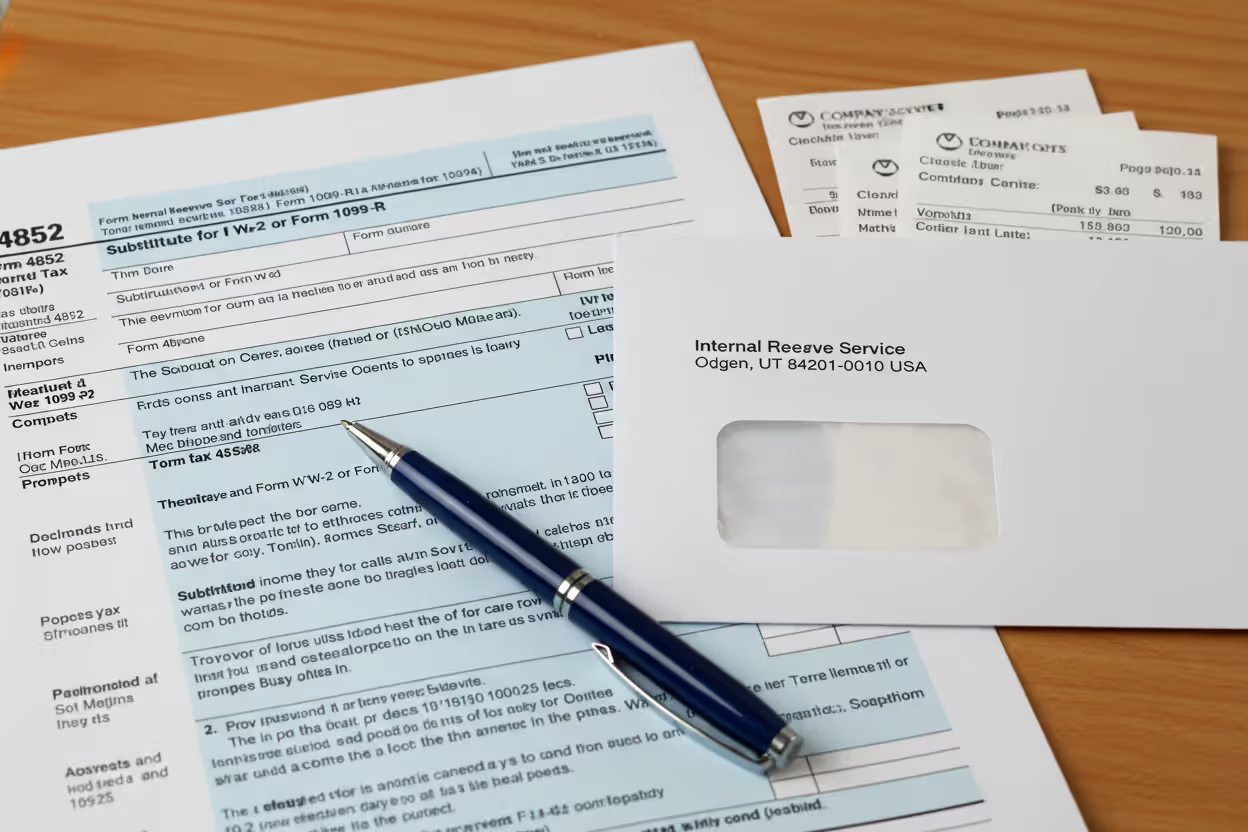
Person reviewing tax documents and missing W-2 form at home desk
How to File Taxes Without W2 Forms From Your Employer

Tax season rolled around again, and that little panic sets in when you check your mailbox—still no W-2. Again. You've got pay stubs somewhere, bank statements showing deposits, but that official form with all your wage information? Nowhere to be found.
Here's what matters: You're still on the hook for filing by the deadline. The IRS doesn't accept "I never got the form" as an excuse for not reporting your income.
The IRS Publication 1 spells it out clearly: "Employers must furnish Forms W-2 to employees by January 31. If you do not receive your Form W-2 by mid-February, contact your employer. If you still do not receive it, contact the IRS for assistance using Form 4852."
Roughly 2-3% of workers deal with missing or delayed W-2s each year. Sometimes employers fold. Sometimes mail gets lost. Sometimes payroll departments simply mess up. None of that changes your April 15 filing deadline.
Why You Might Be Missing Your W-2
Let's break down the usual suspects behind a missing W-2.
January 31 marks the legal deadline for employers to mail these forms. When yours doesn't show up, something went wrong somewhere in the chain.
Maybe you moved last summer and forgot to update your address with HR. Your W-2 is sitting in a mailbox three states away, or it bounced back to a company that doesn't know where to find you. Address mix-ups cause at least 40% of W-2 delivery problems.
Businesses shut down all the time. Your employer from last year might've closed their doors in November, but bankruptcy doesn't erase their obligation to file wage reports. The problem? Finding who's actually responsible for sending your form when the company no longer exists. Could be a bankruptcy trustee, could be the state labor department, could be nobody's actively handling it.
Corporate mergers turn everything into a mess. I've seen cases where Company A bought Company B in August, migrated payroll systems in October, and come January, nobody at the new company could figure out how to generate W-2s for former Company B employees. Your W-2 exists somewhere in a database, but good luck getting someone to extract it.
Job-hopping creates its own complications. Work for five different employers in a year? You need five W-2s, and they won't all arrive on the same day. That random three-week gig you did in March? That small business owner might genuinely forget about issuing your form.
Sometimes there's no drama—just regular mail delays, a payroll clerk who got sick, or a software glitch that prevented batch printing. Not everything has a conspiracy behind it.

Author: Derek Langston;
Source: atiservicesoftampa.com
Can You File Taxes Without a W-2?
Short answer: Yes, but you can't just wing it.
The IRS expects you to report every dollar you earned, W-2 or no W-2. That income didn't disappear because paperwork got lost. You need to document it somehow.
But here's the process you're supposed to follow first. Wait at least until February 15 before you panic. That gives the postal service time to deliver late mail, and it gives employers a cushion beyond their January 31 deadline.
After mid-February hits, reach out directly to your employer. Email works best—it creates a record. Call their HR department. Physically visit if they're local. Explain the situation and ask them to mail a duplicate to your current address. Most companies handle this within a few days once they know there's a problem.
Author: Derek Langston;
Source: atiservicesoftampa.com
When your employer stonewalls you, ghosts you, or no longer exists, that's when you escalate to the IRS. Call 800-829-1040 with your employer's details: company name, address, and Employer Identification Number if you've got it. The IRS will actually follow up with the employer directly. They have enforcement power you don't.
After you've tried everything—contacted the employer, waited a reasonable time, called the IRS—then you can file using Form 4852. This substitute form lets you report your wages based on your own records. Fair warning: Most people can't e-file when using Form 4852. You'll be mailing a paper return like it's 1995.
Form 4852: The Substitute Wage Form for Filing
Form 4852 serves as your official sworn statement about what you earned and what got withheld from your paychecks when the actual W-2 never materializes.
How to Complete Form 4852
Part I needs identifying information. Your Social Security number goes at the top. Then your employer's name, address, and their EIN. Finding that EIN without a W-2 can be tricky—check old pay stubs, or look at last year's W-2 if you worked there before. Sometimes your original offer letter includes it.
Part II asks for the money details. Line 7 wants your total wages. Not an approximation—the actual amount you earned. Line 8 covers federal income tax that got withheld. Lines 9 and 10 split out Social Security and Medicare wages separately (usually the same as your total wages unless you maxed out Social Security). Lines 11 and 12 show Social Security and Medicare taxes withheld.
The form says "estimate," but that's not permission to make up numbers. Base everything on actual documentation. The IRS will eventually receive wage data from your employer electronically, and if your numbers are way off, you'll get a notice.
Part III demands an explanation of what you did to get the W-2. Write specific dates: "Emailed HR department February 18, 2026. Called payroll office February 25, 2026 and spoke with Janet Rodriguez. Filed W-2 complaint with IRS March 3, 2026, reference number 123-45-678." Details protect you later.
Where to Find Your Income Information Without a W-2
Your final pay stub from December typically shows year-to-date totals for everything. Gross wages, federal withholding, Social Security, Medicare, state taxes—all accumulated through your last paycheck. This single document gives you nearly everything Form 4852 requires.
Pull your bank statements and add up every direct deposit from that employer. If you got paid every other Friday, count them all. This confirms your gross income, though it won't show withholding amounts unless you dig into the details.
That last paycheck stub (whether you kept the paper or just remember the deposit) contains cumulative totals. Even after switching jobs, your final stub from the old employer shows everything through your last day there.
Last year's W-2 from the same employer provides a baseline. Made $47,000 in 2025 at the same job, same salary? Your 2026 wages should be similar unless you got a raise, received a bonus, or took unpaid leave.
Check if your employer uses online payroll systems. ADP, Paychex, Gusto, Workday—these platforms usually let you access historical pay information. Your login might still work even after leaving the company. Log in and download every pay stub from the tax year.

Author: Derek Langston;
Source: atiservicesoftampa.com
Steps to Take Before Filing Without Your W-2
Order matters here. Skip steps and you'll create problems for yourself down the line.
Mark your calendar for February 15. Don't file with Form 4852 before then. The IRS explicitly tells you to wait until mid-February. Your W-2 might still arrive in early February, and filing too early with substitute forms creates a mess when the real form shows up later.
Send an email to your employer's payroll contact. Include your full legal name, your Social Security number (last four digits is fine if you're worried about security), dates you worked there, and a request to resend the W-2 to your current mailing address. Give them until the end of the week to respond.
Keep copies of every single interaction. Screenshot emails. Write down phone call details: date, time, who you spoke with, what they said. If you visit in person, send a follow-up email summarizing the conversation. This paper trail proves you made legitimate efforts.
Contact the IRS after your employer doesn't respond. Post-February 15, if your employer hasn't delivered, call the IRS at 800-829-1040. Expect long hold times during tax season—sometimes 45 minutes or more. Have your employer information and your wage documentation ready before you dial.
Collect every piece of pay information you can find. Pay stubs, bank deposits, that offer letter stating your salary, emails about bonuses, anything showing what you earned. Organize everything chronologically. When you sit down to complete Form 4852, you want all this material at your fingertips.
Think about filing an extension if you're running out of time. Form 4868 gives you until October 15 to file your return. Sounds great, but here's the catch—it extends your filing deadline, not your payment deadline. Still owe taxes? Payment's still due April 15, or you'll rack up penalties and interest even with an extension.
What to Use Instead of a W-2 When Filing
Different documents carry different weight with the IRS. Some prove your income definitively; others just provide supporting evidence.
| Document Type | What It Shows | Reliability for IRS | Where to Get It |
| Final pay stub | Complete year-to-date totals for wages, federal tax, Social Security, Medicare | Very reliable—direct employer record | Your personal files, payroll portal, or employer |
| Form 4852 | Your calculations of wages and withholdings based on available records | Accepted when properly documented | Download from IRS.gov and complete yourself |
| Year-end bank statements | Direct deposit amounts showing gross or net pay | Moderately useful—proves deposits but not withholdings | Your bank's website or mobile app |
| Previous year's W-2 | Last year's wages and withholdings for comparison | Limited value—only helpful for estimating | Your prior year tax return documents |
| Mid-year pay stubs | Year-to-date totals as of specific pay period | Useful but requires calculations to reach year-end | Personal files, payroll portal |
| Written employer statement | Official letter confirming wages and withholdings | Highly reliable—direct employer confirmation | Request from HR or payroll department |
The IRS doesn't publish an official ranking, but real-world experience shows they trust employer-generated documents most. A pay stub or written statement from the company beats your personal bank records every time.
Filing Taxes Missing W-2: Common Mistakes to Avoid
Even people following the right general process make specific errors that create headaches later.
Making up withholding numbers. Maybe you nail your gross wages accurately—$52,347 for the year—but then you guess at federal withholding. "Feels like they took out about $6,000, so I'll use that." Terrible idea. The IRS receives employer wage reports electronically. When your return shows $6,000 withheld but your employer reported $8,200, the automated system flags it immediately. Calculate withholding from pay stubs or use the IRS withholding tables based on your W-4 elections.
Jumping the gun and filing in early February. You want that refund, I get it. But filing with Form 4852 on February 3, then having your W-2 arrive February 20, means you've got mismatched records. Now you're filing an amendment. Wait until at least mid-February, preferably later.

Author: Derek Langston;
Source: atiservicesoftampa.com
Writing vague explanations on Form 4852. Part III asks what steps you took. "Couldn't get W-2 from employer" doesn't cut it. The IRS wants proof you tried: specific dates, contact methods, names of people you spoke with. "Called Acme Corp payroll February 17, spoke with Sarah Chen who promised to mail duplicate. No response by March 1, so called IRS hotline" is what they're looking for.
Forgetting about state taxes entirely. Everyone focuses on federal filing. Meanwhile, 41 states have income taxes requiring their own reporting. Using Form 4852 federally? Check your state's department of revenue website for their substitute wage form process. State rules vary significantly.
Combining multiple employers on one form. Worked for three different companies last year but only got two W-2s? You need exactly one Form 4852 for the missing employer. Don't try cramming multiple employers together or creating a combined estimate. The IRS needs separate reporting for each employer to match against their records.
Assuming Form 4852 equals audit. It doesn't. Filing with a substitute form might generate extra processing time or a notice if numbers don't match, but that's different from a full audit. The vast majority of Form 4852 returns process normally when the amounts are accurate and well-documented. Don't let audit fear stop you from filing.
Author: Derek Langston;
Source: atiservicesoftampa.com
FAQ: Filing Taxes Without W-2 Documents
Filing without a W-2 takes more work than plugging numbers into TurboTax, but thousands of people handle it successfully every year.
Documentation makes the difference between a smooth process and months of IRS correspondence. Proving you earned what you claim, and proving you genuinely tried getting the official form, protects you from penalties and extensive questioning later.
Start gathering evidence now, even while you're still waiting for the form. Round up pay stubs tonight. Download bank statements this weekend. Look for last year's tax return to compare wages. When you need to contact your employer or escalate to the IRS, you'll have everything ready to go.
Form 4852 exists precisely for this scenario. The IRS created it knowing employers sometimes fail to deliver W-2s on time. You're not exploiting a loophole or gaming the system—you're using the official procedure tax law provides for documenting income when standard forms go missing.
Doing nothing is the only truly bad option. Missing the filing deadline because you lack a W-2 leads to failure-to-file penalties (5% per month, up to 25% of taxes owed), plus interest on any unpaid balance. Even if you're expecting a refund, filing late just delays your money. Take action, document everything, and file based on the best information you can compile.
Related Stories

Read more
Read more



The content on this website is provided for general informational and educational purposes only. It is intended to explain concepts related to tax filing, tax software, IRS forms, deadlines, and general tax preparation processes.
All information on this website, including articles, guides, and examples, is presented for general educational purposes. Tax filing requirements may vary depending on individual circumstances, income sources, residency status, and applicable laws.
This website does not provide tax, legal, or financial advice, and the information presented should not be used as a substitute for consultation with a qualified tax professional or advisor.
The website and its authors are not responsible for any errors or omissions, or for any outcomes resulting from decisions made based on the information provided on this website.