
Laptop with online tax filing form, W-2 documents, phone, and bank card on a desk
How to File Federal Taxes for Free in 2026

Last tax season, over 100 million Americans paid between $50 and $300 to file returns they could've submitted for free. Most had no idea the IRS runs programs specifically designed to eliminate preparation costs for seven out of every ten filers. These aren't stripped-down versions or bait-and-switch offers—they're the same professional-grade tools the paid versions use, just without the price tag.
Here's what makes the difference: knowing exactly which program accepts your income level, understanding where the hidden upgrade prompts lurk, and avoiding the three mistakes that boot you out of the free tier halfway through filing. Get those right, and you'll keep that $50 to $300 in your bank account instead of handing it to a tax prep company.
Who Qualifies for Free Federal Tax Filing
Your 2025 adjusted gross income determines everything. Earn $79,000 or less? You're in. That single number—which appears on line 11 of your Form 1040—unlocks access to roughly a dozen commercial tax programs that'll walk you through every question, import your W-2 automatically, and flag errors before you hit submit.
The $79,000 ceiling isn't random. Congress set it to cover approximately 70% of American households, which includes single filers making $50,000, married couples earning dual incomes that total $75,000, retirees living on Social Security plus modest investment income, and part-time workers supplementing other benefits. Whether you're 22 or 72, if your AGI stays under that line, you qualify for the full guided experience.
Military service opens a separate lane. Active-duty personnel earning $79,000 or less get in regardless of age, deployment status, or where they're stationed. A few providers—TaxAct and Military OneSource, specifically—waive income limits entirely for service members, though you'll want to verify current-year rules before you start entering data.
Age sometimes bends the rules. Several Free File partners accept filers over 57 even when income nudges past $79,000, usually capping eligibility around $85,000. The rationale: retirees often have straightforward returns despite higher gross income, and they're less likely to need complex schedule support. Provider-specific rules shift annually, so the partner who accepted your 73-year-old neighbor last April might have changed their age threshold this year.
Earned $80,000 or more? You're not locked out—you're just switching to Free File Fillable Forms. These work like digitized paper forms: you pick Schedule A or Schedule C yourself, type numbers into the right boxes, and let the system handle addition and subtraction. No interview questions. No "Did you donate to charity?" prompts. Just you, the forms, and IRS instructions if you get stuck.
The program handles standard 1040 scenarios: wages from a W-2, unemployment compensation, Social Security retirement benefits, interest under $1,500, dividends that don't require complicated calculations, and IRA distributions. You're welcome to claim the Earned Income Credit, education credits for tuition payments, or the standard $14,600 deduction if you're single. What won't fly: partnerships, S-corp income, foreign tax credits, or depreciation schedules that span multiple pages.
IRS Free File Program vs. Fillable Forms
Think of Free File software as a conversation. The program asks if you got married last year, whether you paid student loan interest, if your employer withheld state taxes. You answer; it picks the right forms. Free File Fillable Forms don't ask anything. They present blank lines labeled "Wages, salaries, tips" and wait for you to type a number.
That difference matters more than it sounds. Guided software prevents the "I forgot to claim my kid's daycare expenses" problem because it specifically asks about childcare costs. Fillable Forms assume you already know Schedule 2 exists and that line 2 is where childcare credits go. Miss it? Nobody reminds you. Your refund shrinks, and you don't find out until you compare notes with a coworker next year.
| Feature | Free File Program | Fillable Forms |
| Who gets in | AGI $79,000 or under | Anyone, no income ceiling |
| How it works | Interview format with plain-English questions | Self-directed form completion |
| Picks forms for you | Yes, based on your answers | No—you select everything manually |
| Catches mistakes | Flags missing info and math errors | Only checks arithmetic |
| Works best for | First-time filers, families, W-2 employees | People who've filed paper returns before, DIYers comfortable reading IRS publications |
| State filing | Usually $30–$50 extra per state | Doesn't offer state returns at all |
New to filing? Go with the interview. Used TaxAct's paid version for five years and you're just annoyed at spending money? Fillable Forms will feel familiar if you've ever filled out a 1040 by hand. Earned $95,000 but you only have W-2 income and you take the standard deduction? Fillable Forms handle that in 20 minutes.
The IRS doesn't push one over the other. Both e-file your return directly into the same processing system. Both get you a refund in the same 10-to-21-day window. The only difference is how much handholding you want.
Top Free Federal E-File Options by Provider
About a dozen companies participate in the Free File Alliance, but three dominate the user base—and with good reason. They've refined their interfaces, minimized the upsell pressure (though it's never zero), and they cover the tax situations most people actually encounter.
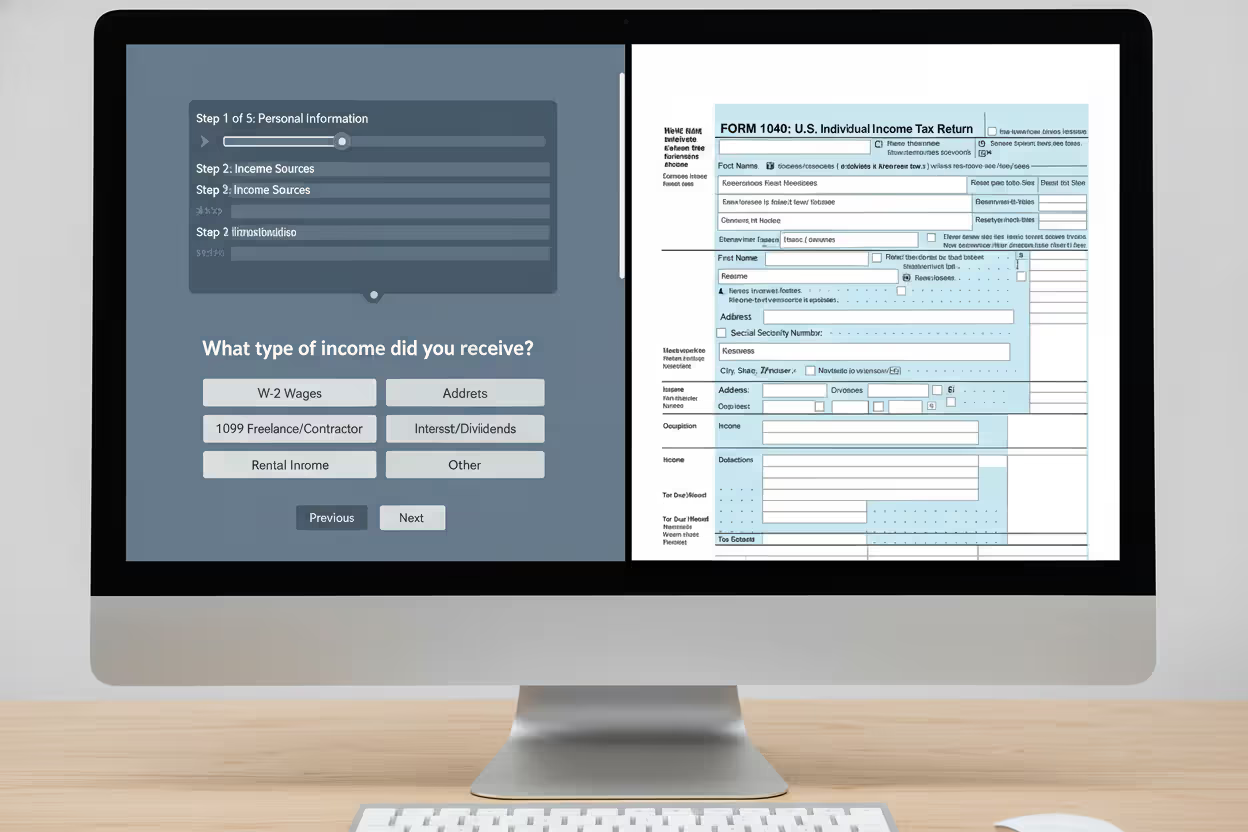
Author: Lauren Whitma;
Source: atiservicesoftampa.com
TurboTax Free File Program
TurboTax sets the income bar lower than the IRS does: $43,000 instead of $79,000. You'll also need to be 66 or younger. Those restrictions knock out a lot of filers who'd qualify elsewhere, which is exactly why TurboTax does it—they'd rather upsell you to their $69 Deluxe tier. But if you fit the criteria, you're getting the same polished interface that makes TurboTax the market leader.
The walkthrough feels intuitive. "Did you work last year?" leads to "Let's add your W-2," which opens a screen where you either type numbers manually or snap a phone photo of the form. The software reads the boxes, fills the fields, and asks you to double-check. When you mention a child, it probes for dependent care expenses, education costs, and whether the kid lived with you more than half the year.
Upsells appear constantly. "Maximize your refund with our audit risk meter—only $39!" "Get your state return done now for $49!" Decline everything. The federal return stays free only if you resist clicking the green "Add this feature" buttons. TurboTax's marketing team has tested those prompts down to the pixel placement, so expect persistence.
State filing will cost you $49. Live help—chatting with a tax pro or getting a CPA to review your return—pushes you into a paid tier. If you need either, TurboTax Free File isn't worth starting.
H&R Block Free File
H&R Block matches the IRS's full $79,000 income limit, and they don't cap your age. Active-duty military members skip the income test entirely. The interface lacks TurboTax's polish—screens feel more cluttered, the flow jumps around a bit—but you're answering fewer hand-holding questions, which speeds up the process if you've filed before.
The software assumes you understand "filing status" without a five-paragraph explainer. It asks if you're single, married filing jointly, or head of household, then moves on. If you're unsure, a small question-mark icon links to IRS definitions, but you're expected to read and decide on your own. That's not a weakness if you're comfortable with tax vocabulary—it just means less clicking through intro screens.
H&R Block charges $37 per state return, which undercuts TurboTax slightly. The company also offers refund advance loans—basically, they'll give you money now against the refund you're expecting. The catch: fees and interest eat into your refund, sometimes by $50 or more. Unless you're facing an emergency expense that can't wait two weeks, skip the advance and wait for your direct deposit.
Cash App Taxes (Formerly Credit Karma Tax)
Cash App Taxes broke the industry's unspoken rule: they don't charge for state returns. Federal, state, doesn't matter—both are free, and there's no income limit. You could earn $200,000, and as long as your tax situation fits what the software supports, you're filing at no cost.
"What the software supports" is where the trade-off lives. Cash App Taxes handles Schedule C for freelance income, Schedule D for stock sales, and even Schedule E for rental properties. But the question flow is sparse. It asks what you earned from freelancing, where to enter your business expenses, whether you have receipts. It won't guide you through home office deduction nuances or explain the difference between standard mileage and actual expenses. You're expected to know which deduction method benefits you, then enter the number.
No live support exists. No phone line, no chat box with a human behind it. The help articles cover common scenarios—how to report Uber income, how to handle RSU vesting—but if you're stuck on something specific to your situation, you're Googling or posting in a tax subreddit.
Refunds land in your Cash App balance or a linked bank account. If you're already using Cash App to split rent or pay friends, the integration works seamlessly. If you've never used it, you'll create an account during the filing process—no big deal, but one extra step.

Author: Lauren Whitma;
Source: atiservicesoftampa.com
How to Access No-Cost Federal Tax Filing Through the IRS
Type IRS.gov/freefile into your browser. Not "free TurboTax" into Google. Not "H&R Block free edition" into Bing. Those searches dump you onto paid landing pages designed to look free until you're three screens deep and suddenly facing a $59 charge for "premium support."
The official IRS page shows a bright blue button labeled "Browse all offers." Click it, and you'll see a table listing every participating company alongside their income cutoffs, age limits, and special rules. TurboTax's row says "$43,000 AGI max, age 66 or younger." H&R Block's row says "$79,000 AGI max, no age limit, military welcome." Cash App Taxes says "No income limit."
Pick one that accepts your situation. Click the "Go to provider" link, and you'll land on a special Free File portal—look for a banner across the top confirming "IRS Free File Program" or similar wording. If the page looks like the company's regular homepage with generic "File for free!" marketing, you've been redirected wrong. Back out and start over from IRS.gov.
You'll register with an email and password. The software asks for your Social Security number, birthdate, and last year's AGI (which the IRS uses to confirm your identity). Have your 2025 W-2 sitting next to you, along with any 1099 forms, mortgage interest statements, or student loan interest summaries. Most programs let you save and return later, though some log you out after 20 minutes of inactivity.
The interview begins. "What's your filing status?" "Did you have a job?" "Did you receive health insurance through the Marketplace?" Answer each question exactly as your documents show it. If your W-2 says your employer's EIN is 12-3456789, type 12-3456789. A single transposed digit bounces your return back.
Halfway through, you'll hit screens asking if you want to "upgrade for maximum accuracy" or "add state filing now." Decline everything unless you specifically need a state return. The federal file remains free only if you keep saying no.
Finish the interview, and the software generates a summary screen showing your refund or balance due. Scan it for red flags: a $4,000 refund when you expected $1,200, a credit you don't recognize, missing income from a side gig. The program catches math errors—mismatched totals, blank required fields—but it won't notice if you forgot to mention your Etsy sales.
Hit "Submit" when you're confident everything's right. Within 24 hours, you'll get an email confirming the IRS received your return, along with a tracking number. Choose direct deposit when prompted, and your refund typically arrives in 10 to 21 days. Opting for a paper check tacks on another two to four weeks.
Taxpayers can use IRS Free File guided tax software through Oct. 15, and it remains available only through IRS.gov. For those comfortable preparing their own taxes, Free File Fillable Forms also are available at no cost
— Danny Werfel
Common Mistakes That Disqualify You from Federal Free File Options
Starting on the wrong website kills more free filings than anything else. You Google "TurboTax free," click the first result, and land on TurboTax's main homepage advertising "Free Edition." That's not the Free File program—it's a separate product that charges $0 for federal filing only if you have the simplest possible return. Add a 1099-INT for $12 of bank interest? Now it's $69. Enter your state? Another $49.
Once you've started a return on the paid platform, you can't migrate it to Free File. The data doesn't transfer. You're stuck paying or abandoning everything and starting fresh at IRS.gov/freefile. Twenty minutes of data entry wasted because you skipped one step.
Income miscalculations trip up people who earn variable income. You think you made $76,000 last year; turns out your bonus pushed you to $81,000. You pick H&R Block Free File, answer 40 questions, then the software halts: "Your AGI exceeds our limit. Upgrade to continue?" You're not getting that time back. Check your final 2025 paystub or add up your W-2 box 1 amounts before you pick a provider.
Paid add-ons sneak in through acceptance fatigue. You've clicked through 15 screens, you're tired, and suddenly a prompt says, "Protect yourself from audit for just $29.99—added to your order." It's phrased like you're already paying for something, so one more line item feels normal. But that single click just voided your free filing. Read every screen. If you didn't explicitly choose to pay for something, decline it.
Missing the deadline locks you out for that tax year. Free File runs from mid-January through mid-October, covering both the April 15 deadline and the October 15 extension window. File on October 20 because you forgot to request an extension? The program's closed. You'll pay penalties and you'll have to use paid software or paper forms.
Landing on a non-IRS-approved site exposes you to scams. A few sketchy platforms advertise "free e-file" but aren't part of the official alliance. They might harvest your Social Security number, sell your data to marketing firms, or charge surprise fees at submission. Stick to the providers listed on IRS.gov/freefile—the IRS vets them annually for security and compliance.

Author: Lauren Whitma;
Source: atiservicesoftampa.com
When Free Federal Tax Return Filing Isn't Enough
Schedule C income—money you earned as a freelancer, contractor, or side-business owner—fits into free software, but the tools don't optimize it. Cash App Taxes asks what you earned and what you spent, then lets you enter a number. It won't ask if you used your car for deliveries, whether you have a home office, or if you bought a laptop for work. Those are all legitimate deductions, but you're responsible for knowing they exist and calculating them correctly.
Rental property creates similar gaps. You can report the rent you collected and the expenses you paid—mortgage interest, property tax, repairs—but depreciation schedules require you to know your property's cost basis, the date you started renting it, and which depreciation method to use. Free software provides blank fields. Paid programs interview you ("When did you buy the property?" "What did you pay?") and generate the depreciation schedule automatically.
Stock sales get messy fast. Sold 10 shares of Apple? Fine. Sold 200 shares across 15 transactions, some at a loss, with a few wash sales because you repurchased within 30 days? Free File Fillable Forms make you calculate every gain, loss, and adjustment by hand on Schedule D. One mistake, and you're overpaying—or underpaying and risking IRS correspondence months later.
Itemizing deductions instead of taking the standard $14,600 pushes free software to its limits. You'll answer questions about mortgage interest, charitable donations, medical expenses over 7.5% of your income, and state taxes paid. The software totals them up, but it won't optimize which expenses to claim or whether bunching donations into alternating years saves you money. That level of strategy requires either paid software with scenario modeling or a conversation with a CPA.
Amended returns—fixing a mistake on a return you already filed—aren't supported by most Free File partners. If you forgot to claim a $2,000 education credit, you'll file Form 1040-X to correct it. Free File Fillable Forms handle amendments, but you're on your own reading the instructions. Paid software that includes amendment tools costs $50 to $100, so weigh that against the refund you're chasing.
Frequently Asked Questions About Free Federal Tax Filing
According to the IRS, "Nearly 70% of taxpayers qualify for IRS Free File, yet only about 2% use it." That's roughly 100 million people eligible for no-cost filing, but only 2 to 3 million actually take advantage. The gap exists partly because software companies bury their Free File links—TurboTax's homepage features "Free Edition" in 48-point font, while the Free File link sits in 10-point gray text at the bottom. It also exists because most people don't realize the IRS sponsors these programs at all. They assume "free" means limited, stripped-down versions that can't handle real returns. In reality, the free tools are the same engines powering the paid versions.
Filing your federal taxes for free in 2026 works if your 2025 income stayed under $79,000 and your financial life doesn't involve rental properties, business depreciation, or multi-state stock portfolios. Start at IRS.gov/freefile, confirm a provider accepts your AGI, and ignore every upgrade prompt that appears. For W-2 employees, families claiming dependent credits, and retirees with straightforward Social Security plus pension income, free federal tax filing delivers identical accuracy and refund timing compared to paid software—without costing you $50, $100, or $250 you'd rather spend elsewhere.
Related Stories

Read more

Read more




The content on this website is provided for general informational and educational purposes only. It is intended to explain concepts related to tax filing, tax software, IRS forms, deadlines, and general tax preparation processes.
All information on this website, including articles, guides, and examples, is presented for general educational purposes. Tax filing requirements may vary depending on individual circumstances, income sources, residency status, and applicable laws.
This website does not provide tax, legal, or financial advice, and the information presented should not be used as a substitute for consultation with a qualified tax professional or advisor.
The website and its authors are not responsible for any errors or omissions, or for any outcomes resulting from decisions made based on the information provided on this website.