

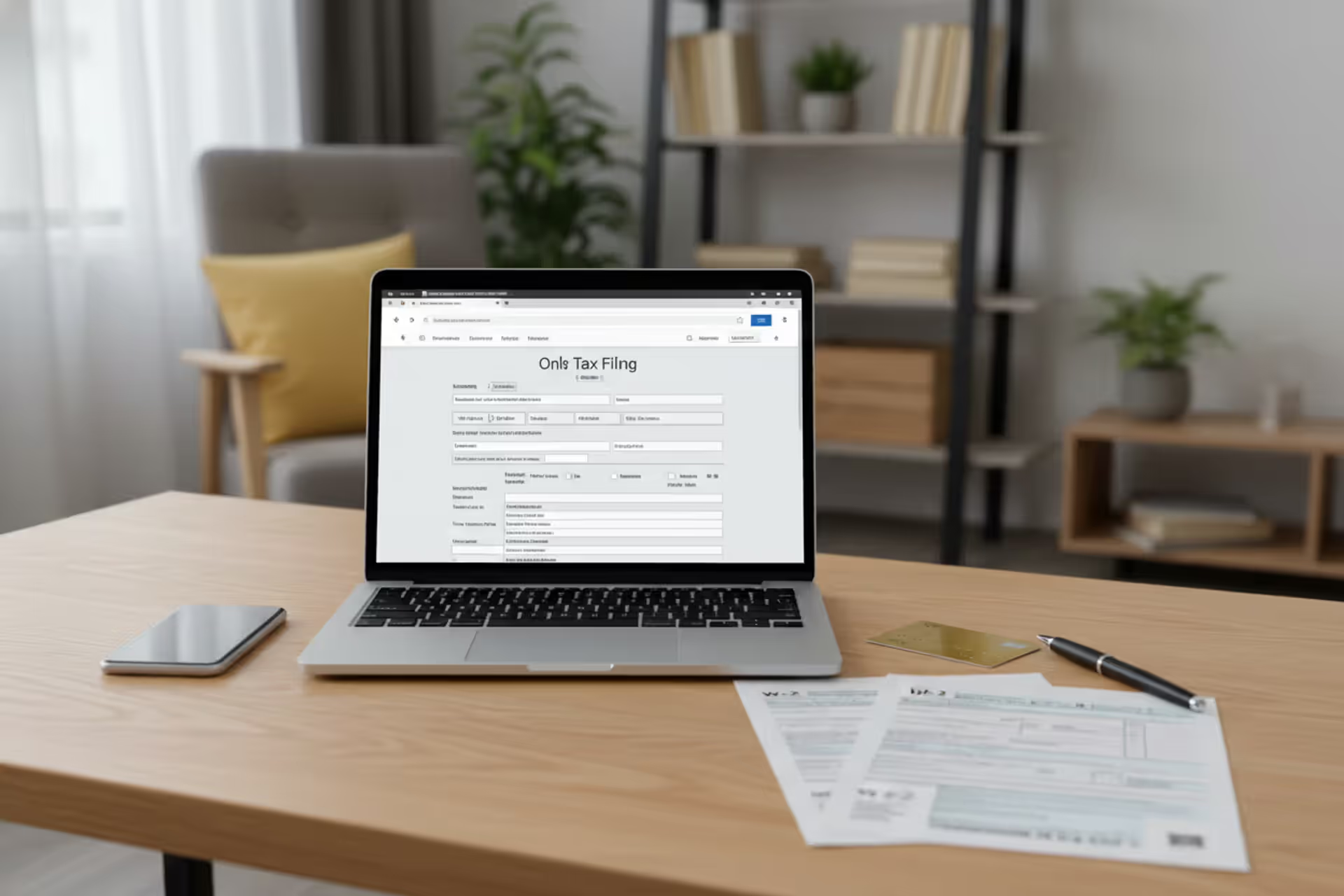
Small business owner preparing 1099 tax forms at a desk
How to File 1099 Online Free

Content
Content
My friend Sarah owns a marketing consultancy in Denver. Last tax season, three freelancers had worked for her—a copywriter she'd paid $2,400, a web developer who got $8,500, and a photographer she'd hired for $1,200. Her accountant sent a quote: $45 per form. Simple math: $135 she hadn't budgeted for.
"Isn't there a cheaper way?" she texted me one night.
There is. And it costs exactly nothing if you're willing to navigate the right systems.
Small business owner? Side hustle runner? You can send 1099 forms straight to the IRS without spending a dollar. The government built its own filing platform years ago. Certain commercial companies offer limited freebies too. The tricky part? Knowing which tool fits your situation and steering clear of the upgrade screens that pop up at every turn.
I'm about to show you the whole process, including the errors that trigger penalty notices.
When You're Required to File a 1099 Form
You hit filing requirements once you've paid someone who isn't on your payroll. Paid that freelance photographer $600 or more last calendar year? Time for a 1099-NEC.
The specifics depend heavily on what kind of payment you made.
Payment types carry different dollar triggers: Services require $600. Royalties? Just $10 activates filing. Withheld backup withholding from a check? File it regardless of the amount. Rent payments of $600+ to your office landlord need a 1099-MISC. Each scenario has peculiarities worth understanding.
The people who receive these forms: Independent contractors top the list—writers, graphic designers, business strategists, repair contractors, basically everyone doing work for you outside payroll. Here's the confusing twist: incorporated businesses typically don't need them. Except attorneys—law firms receive 1099s even when incorporated. Payments to C-corps and S-corps? Usually exempt. Unincorporated freelancers and single-member LLCs? Always file.
One complication catches tons of people: third-party processors like PayPal, Venmo, Stripe. These platforms issue their own 1099-K forms directly to contractors. You don't file duplicates for identical transactions.
Dates that matter for 2026: January 31 is when both the IRS and your contractors must have 1099-NEC forms. That's a hard stop—weekends don't push it back, grace periods don't exist. Other forms like 1099-MISC allow breathing room: February 28 for paper versions, March 31 when you file electronically.
What happens when you blow deadlines: File one to 30 days late? $60 per form. Thirty-one days through August 1 bumps it to $120 each. Past August 1, penalties hit $310 per form. Intentional disregard? Minimum $630 penalties per form with no ceiling.
A local contractor I knew skipped filing for eight freelancers one year. His penalty invoice arrived at $2,480. Filing would've taken an afternoon.

Author: Lauren Whitma;
Source: atiservicesoftampa.com
Free vs. Paid 1099 Filing Options
You've got two main paths to zero-cost filing: the IRS's own platform and commercial software offering no-cost tiers. Each shines in particular circumstances.
IRS FIRE System Overview
FIRE (Filing Information Returns Electronically) is the government's direct filing tool. Zero fees. Zero caps on form volume. Every 1099 variety works—NEC, MISC, INT, DIV, the whole lineup.
Need to submit 5,000 forms in a single session? Go ahead. Want to run multiple sessions? Sure. Pay anything? Never. For operations handling dozens of forms each year, FIRE demolishes every paid service on cost alone.
What's the tradeoff? Modern design and smooth navigation didn't make the feature list. The interface looks frozen in 2005 (possibly because it was). Locating specific functions requires trial and error. You're entering data manually unless you create specially formatted text files matching IRS specifications—something most small business folks won't attempt.
The actual barrier? Obtaining approval for a Transmitter Control Code (TCC). You can't file without this code. Applications consume 30 to 45 days. You'll provide your EIN and detailed information about the responsible party. Want to file in January? Submit that application in November, not three weeks beforehand.
Third-Party Free Filing Limitations
Tax software companies plaster "free 1099 filing" across their homepages. Read the fine print on what "free" actually includes.
Volume restrictions appear fast: Most no-cost plans cap out at one to five total forms. Filing for six contractors? Hello, upgrade screen. A few platforms stretch that limit higher, though none approach FIRE's unlimited capacity.
Form types get boxed in too: Maybe 1099-NEC files free but 1099-MISC demands an upgrade. Multiple form types could mean climbing through paid tiers.
Features vanish from free versions: No-cost tiers typically exclude TIN verification, bulk import capabilities, and automated contractor delivery. You're printing forms yourself, addressing envelopes by hand, and driving to the post office. Plenty won't even store your contractor data for next season without a subscription.
Upgrade prompts never stop: Expect constant suggestions for faster processing, premium support, bundled tax prep, or other paid features throughout filing. The basic submission functions fine—you'll just decline extras repeatedly.
Still, submitting three 1099-NEC forms through a polished interface for free? That's genuinely useful for many small operations. Just confirm exactly what's covered before typing in data.

Author: Lauren Whitma;
Source: atiservicesoftampa.com
Step-by-Step Process to File 1099 NEC Online Free
Here's how you actually submit forms through FIRE at zero cost. I'm focusing on the confusing bits that catch newcomers.
Step 1: Collect your information before logging in
Don't open your browser yet. Gather these details for every contractor:
- Legal name exactly matching their tax return, middle initials included
- Taxpayer ID number (SSN for individuals, EIN for businesses)
- Full mailing address with extended ZIP+4 code when possible
- Total payments between January 1 and December 31
- Your business EIN and current contact information
Verify those tax ID numbers carefully. One wrong digit creates IRS notices and potential penalties later. Hand every contractor Form W-9 before cutting the first check—it captures everything you'll need down the road.
Step 2: Request your Transmitter Control Code
Head to the IRS FIRE website and locate the TCC application link. Enter your EIN, business structure, details about the responsible party (usually you as owner), and contact information. The IRS emails an acknowledgment, then processes your request.
Processing normally takes 30-45 days. I've seen some come through in two weeks. Others stretched to the full 45 days. Plan for the longer timeline.
Where people stumble: applying in late December for January filing. Get your application in before Thanksgiving. You'll skip the panic later.
Step 3: Set up your FIRE account
Your TCC arrives through physical mail—not email, actual postal delivery. Log into FIRE with this code and establish your credentials. The system uses security questions plus two-factor authentication. Write down your answers somewhere safe. Password recovery without calling the IRS help line doesn't exist in any meaningful way.
Step 4: Input your form data
FIRE offers two approaches:
Manual entry: Work through web forms, typing each contractor's details into provided fields. This handles about 10-15 forms reasonably. Beyond that? Tedious doesn't quite capture it. The interface feels awkward—buttons hide in weird spots, finding the save function takes genuine effort.
Bulk upload: Create a text file following IRS Publication 1220 specifications exactly, then upload everything at once. This processes hundreds of forms efficiently but demands technical knowledge or software that exports in precisely the right format. Most smaller businesses stick with manual entry.
Type carefully. FIRE validates format (correct digit count) but not accuracy (whether that SSN actually matches your contractor's legal name).
Step 5: Review before transmitting
FIRE displays all completed forms before final submission. Examine every single line. Once you hit submit, pulling forms back means filing amended returns—definitely not simple.
Everything accurate? Submit your batch. Confirmation shows up immediately.
Step 6: Deliver copies to your contractors
Filing with the IRS covers half your obligation. You still owe contractors their Copy B by January 31. Three delivery methods work:
- Print copies on regular paper and mail them (certified mail proves delivery happened)
- Email PDFs after getting specific written consent for electronic tax form delivery
- Provide portal access where contractors log in and download forms (consent still required)
Don't ever skip contractor copies. The IRS knows you filed. Your contractors need their copies to complete their own tax returns. Both requirements matter equally.

Author: Lauren Whitma;
Source: atiservicesoftampa.com
Common Mistakes When Filing 1099 Forms Electronically
Even business owners who've done this for years trip over these issues. Watch for them.
Wrong or missing taxpayer identification numbers: This single mistake generates more IRS correspondence than everything else combined. Numbers get transposed during data entry. Contractors accidentally give their spouse's SSN. Someone got married and changed their name, but you're working from old W-9 forms. The IRS TIN Matching program (separate from FIRE) lets you verify numbers ahead of filing—use it whenever you have doubts.
Picking the wrong form type: Back in 2020, the IRS brought back 1099-NEC specifically for contractor payments. Previously, that information landed on 1099-MISC Box 7. That box no longer serves this purpose. Using outdated forms or dropping payments in incorrect boxes creates headaches. Payments to contractors belong on 1099-NEC. Property rent, royalty income, and other miscellaneous payments belong on 1099-MISC.
Deadline confusion: January 31 is non-negotiable for 1099-NEC with zero extensions available. People remember old 1099-MISC deadlines from years back (late February for paper filing) and assume they still apply. They don't. Set calendar alerts. Plan to file a full week early.
Filing with the IRS alone: The IRS receiving your electronic submission doesn't automatically notify contractors. You're legally obligated to provide recipient copies through a completely separate process. Two distinct requirements exist with separate penalty structures for each.
Reporting wrong payment amounts: Report what you actually paid, not what was invoiced or what remained after discounts. Paid a contractor $5,500 even though they initially invoiced $6,000? Report exactly $5,500. Match your bank statements and expense records.
Forgetting state filing requirements: Your state might impose separate filing obligations or different deadlines. Electronic federal filing doesn't automatically satisfy state requirements. Look up your state's specific rules through their revenue department website.

Author: Lauren Whitma;
Source: atiservicesoftampa.com
Platforms That Offer No-Cost 1099 E-Filing
Beyond FIRE, these options provide varying degrees of free service:
IRS FIRE: Handles unlimited forms of every 1099 type at zero cost indefinitely. TCC approval consumes up to 45 days. Interface demands patience and learning time. Best choice for anyone filing 10+ forms or planning to file annually long-term.
Tax software free tiers: Companies like TurboTax and TaxAct sometimes bundle one to three free 1099 submissions. User interfaces feel modern and clear with step-by-step guidance. Current offerings shift each tax season. Works well for occasional filers with minimal contractor volume.
Payroll service bundles: Services like Gusto and ADP often bundle 1099 filing for contractors you pay through their platform. Forms auto-populate straight from payment records, eliminating manual data entry completely. Only covers contractors paid within that specific system.
Accounting software add-ons: QuickBooks Online and FreshBooks subscribers sometimes access limited free filing. Data imports directly from your existing books. Usually restricted to certain subscription levels or a few forms maximum.
State filing systems: Some states (Massachusetts, for instance) let you file information returns through state systems with automatic IRS forwarding. Not every state offers this. Worth researching what your state provides.
| Filing Method | Form Volume Allowed | Supported 1099 Types | Cost | Setup Steps | Contractor Copy Delivery |
| IRS FIRE | 5,000 per session, unlimited sessions total | All 1099 variants the IRS accepts | Zero | TCC approval requiring 45 days, manual entry or custom formatted files | You handle mailing or email independently |
| Tax Software Free Tiers | Usually 1-5 forms | Typically just NEC and MISC | Free within stated limits | Simple account registration, web browser access | Varies by specific platform |
| Payroll Services | Depends on subscription level | Primarily NEC | Often bundled in existing plan | Active account with contractors already in system | Often automated through platform |
| Accounting Software | Varies by subscription tier | NEC and MISC in most cases | Sometimes bundled with paid subscription | Current paid subscription necessary | Usually automated |
After You Submit: Confirmation and Record-Keeping
Clicking submit isn't where your responsibilities end. Smart follow-through prevents problems years down the road.
Save your confirmation documentation: FIRE generates an immediate receipt showing exactly what you filed and the timestamp. Download that file. Print a copy. Store it somewhere you'll find when the IRS sends an inquiry three years from now about a supposedly missing form. Third-party platforms email confirmations—create a dedicated folder and archive every one.
Send recipient copies promptly: Three delivery approaches work:
- Traditional postal mail: Print Copy B on regular paper (special forms aren't necessary), stuff and address envelopes, mail them out. Want proof of delivery? Pay for certified mail with return receipt requested. You'll receive a signed card back proving the contractor got their form.
- Email delivery: Requires explicit written consent from each recipient specifically agreeing to electronic tax form delivery. General contract language doesn't satisfy this requirement—you need clear agreement for tax documents specifically. Send forms as password-protected or encrypted PDFs. Don't text tax documents.
- Secure portal access: Some platforms create password-protected portals where contractors log in and download their forms independently. You still need consent, though platforms often handle consent collection for you.
Records retention requirements: Store all 1099 copies for at least four years minimum, though keeping them for seven years offers stronger audit protection. Keep submission confirmations, delivery receipts or proof, contractor W-9 forms, and any correspondence about corrections. Maintain digital copies in cloud backup plus a separate local drive.
When a contractor claims they never got their form, you'll need documentation proving you sent it. Certified mail receipts, email delivery confirmations, or platform delivery logs become critical evidence.
Correcting errors after submission: Discovered a mistake? File a corrected return immediately. Mark the "CORRECTED" checkbox on the new form, then re-enter all fields—not just the wrong ones. The corrected filing needs complete information in every field. Submit corrections through whatever method you used originally (FIRE for FIRE submissions, same third-party platform for platform submissions).
Send the corrected Copy B to the contractor as well. The IRS typically forgives good-faith corrections filed promptly, but letting months pass or ignoring known errors can trigger penalties anyway.
Electronic submissions cut filing errors by more than half compared to paper forms, and the IRS processes them within days instead of weeks. The real benefit isn't just convenience—it's the validation checks that catch mistakes before they become penalty notices. Any business filing more than one or two forms should seriously consider electronic filing as basic risk management, not an optional upgrade
— Jennifer Martinez
Frequently Asked Questions
Filing 1099 forms doesn't require adding a line item to your budget. The IRS FIRE system handles unlimited submissions at zero cost for businesses of any size, while commercial platforms provide convenient free tiers for smaller filing volumes.
Start by mapping your filing obligations and gathering accurate contractor details—especially those taxpayer ID numbers that cause most headaches. FIRE users should submit TCC applications in November for January filing, not wait until mid-December when deadlines loom. Smaller operations might discover their existing payroll service or accounting software already bundles free filing worth exploring.
Dodge common errors by verifying tax ID numbers before submission, using 1099-NEC specifically for contractor payments (not outdated 1099-MISC forms), hitting the January 31 deadline without fail, and remembering that IRS filing doesn't eliminate your separate obligation to deliver recipient copies. Electronic filing provides instant confirmation and catches errors through validation, but it doesn't reduce your legal responsibilities.
Keep submission confirmations, recipient delivery proof, and copies of all forms for at least four years—seven provides better protection. These records answer audit inquiries and prove you satisfied your obligations when contractors claim they never received their forms.
Saving money through free filing helps your bottom line, but the bigger benefit is avoiding penalties that far exceed any filing fees you might have paid. A modest investment of preparation time and attention to accuracy transforms 1099 filing from an annual crisis into a straightforward task that costs nothing except a few hours.
Related Stories
Read more

Read more




The content on this website is provided for general informational and educational purposes only. It is intended to explain concepts related to tax filing, tax software, IRS forms, deadlines, and general tax preparation processes.
All information on this website, including articles, guides, and examples, is presented for general educational purposes. Tax filing requirements may vary depending on individual circumstances, income sources, residency status, and applicable laws.
This website does not provide tax, legal, or financial advice, and the information presented should not be used as a substitute for consultation with a qualified tax professional or advisor.
The website and its authors are not responsible for any errors or omissions, or for any outcomes resulting from decisions made based on the information provided on this website.